
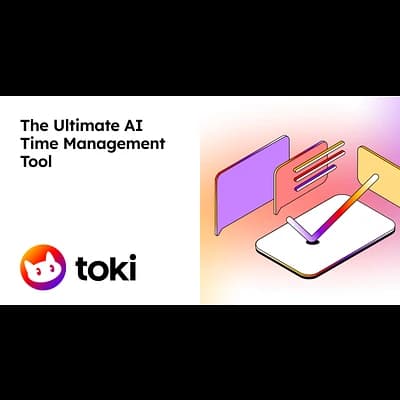
AI-powered calendar assistant that schedules events via natural language in your favorite messaging apps
About Dola
Key Features
- Natural Language Scheduling: Create events by chatting naturally in text or voice
- Multi-Modal Input: Supports text, voice messages, and image recognition for event creation
- Cross-Platform Sync: Real-time synchronization with Google Calendar, Apple Calendar, and CalDAV
- Messaging App Integration: Works natively inside WhatsApp, Telegram, Line, and iMessage
- Smart Reminders: Sends timely alerts and notifications directly to your chat
- Time Zone Management: Automatically handles time zone conversions for international meetings
Pros and Cons
Pros
- No app installation required; lives in your existing chat apps
- Extremely fast event creation compared to manual calendar entry
- Handles voice notes and images effectively
- Seamless synchronization across Apple and Android ecosystems
Cons
- Requires access to calendar and chat data which may concern privacy-focused users
- Dependency on third-party messaging platforms (WhatsApp, Telegram, etc.)
- Complex custom recurrences might occasionally require manual adjustment
Pricing
Connect with Dola
Frequently Asked Questions
Dola's smart reminders are sent directly to the messaging app you used to create the event, so in this case, you'll receive reminders via WhatsApp. This ensures you get timely notifications within your preferred communication channel, in addition to any reminders set within your synced Google Calendar.
To connect Dola to your company's CalDAV server, you'll need to provide the server URL, your username, and your password. Ensure the URL is the correct address for your CalDAV server, including the appropriate port and path, as incorrect details will prevent Dola from syncing properly. Check with your IT department if you are unsure of the correct URL.
The free plan allows for basic natural language scheduling, but the premium subscription unlocks advanced AI features. This includes the ability to handle more complex recurring events, improved accuracy with time zone conversions, and cancellation requests, plus priority support and a higher event creation limit.
You can easily delete duplicate events directly through the chat interface where you created the event. Simply send a message to Dola indicating which event you'd like to cancel, and Dola will handle the deletion and sync the changes across your connected calendars.
Dola is designed to effectively extract event details from images, including dates, times, locations, and event names. It supports common image formats such as JPEG, PNG, and GIF. While accuracy is generally high, complex or poorly formatted images may require manual review to ensure all details are captured correctly. In these cases, you can easily edit the event details within the chat interface.
Similar AI Tools to Dola

Mindverse
Your personalized AI second brain for smarter workflows and autonomous agents.

Langotalk
Master languages 6x faster with personalized AI conversation partners
Essence App
Optimize productivity and well-being with cycle-synced AI insights

Socratic by Google
Unlock your learning potential with Google's AI-powered study companion.
Jigso
Your AI-powered workplace sidekick for seamless task automation and data retrieval.