

⚡ Role-Based AI Directory • Updated September 2026

16+ Best AI Tools for Developers in 2026 (Ranked & Deep-Dived)

Accelerate software delivery, refactor massive legacy codebases, automate pull request reviews, and run autonomous terminal agents. Compare top AI coding tools benchmarked for context window efficiency, completion latency, and enterprise zero-retention privacy.

Hamza Khaliq
By Hamza Khaliq, Founder & Editor-in-Chief
Updated September 2026
16 min read
30+ developer tools tested
Evaluated Tools
97+ Tools
Editor Verified
26 Active
Avg Rating
4.8 / 5.0
Last Audit
September 2026

Top 3 Editor's Choice Developer Tools

Hand-selected by senior software engineers based on multi-file context indexing, latency, and reliability.

#1 Overall Best AI IDE
Cursor

Cursor

AI-native code editor with autonomous multi-file indexing and Composer agentic editing

Full repository indexing with @codebase context awareness
Native Claude 3.5 Sonnet, GPT-4o, and custom model routing
Composer multi-file autonomous refactoring and instant diffing
Best For: Daily driver for full-stack engineering & complex multi-file refactoring
Free Plan Available ($20/mo Pro)Freemium
#2 Best Terminal & Agentic Engine
Claude Code

Claude Code

Anthropic's agentic coding tool that lives directly inside your terminal

Autonomous multi-step terminal execution, test running, and git commits
200,000 token context window with deep architectural understanding
Sub-agent delegation for background task execution
Best For: Terminal-heavy workflows, large refactors, and test-driven development
#3 Best for Ultra-Fast Context & Speed
Supermaven

Supermaven

The fastest AI copilot with a 1 million token context window and sub-50ms latency

Sub-50ms keystroke completion latency powered by custom Babble architecture
1,000,000 token context window that remembers your entire workspace history
Lightweight VS Code, JetBrains, and Neovim extensions
Best For: Developers who demand zero-lag autocomplete and massive context windows
Free Tier Available ($10/mo Pro)Freemium

Table of Contents: Jump to In-Depth Tool Review

AI Central Resources Verification

AI Central Research & Verification Protocol for Developers

E-E-A-T Audited

Every tool listed in our AI Tools for Developers catalog undergoes hands-on testing by senior software engineers. We benchmark keystroke completion latency (ms), multi-file context comprehension (@codebase), security & telemetry governance (Zero Data Retention), and IDE plugin stability across VS Code, JetBrains, and terminal environments.

Zero Sponsored RankingsContinuous Monthly VerificationDirect Developer Pricing Transparency

Side-by-Side Developer Tools Comparison Matrix

Directly compare pricing models, supported platforms, privacy controls, and context capacities across top AI coding tools.

Tool NamePricing ModelStarting PricePrimary InterfacePrivacy & TelemetryContext WindowUser RatingQuick Links
Cursor
Cursor
FreemiumFree ($20/mo Pro)VS Code Fork (Desktop)Zero Data Retention mode availableFull Repository (@codebase)4.9(142)Alternatives →
Claude Code
Claude Code
Paid APIUsage-based (Anthropic API)CLI / TerminalEnterprise privacy & commercial terms200,000 tokens4.9(96)Alternatives →
Supermaven
Supermaven
FreemiumFree ($10/mo Pro)VS Code, JetBrains, NeovimCode privacy guarantee on paid plans1,000,000 tokens (Babble)4.9(78)Alternatives →
GitHub Copilot
GitHub Copilot
FreemiumFree ($10/mo Pro)VS Code, JetBrains, Visual StudioEnterprise opt-out of model trainingMedium (Copilot Chat + Workspace)4.7(512)Alternatives →
Windsurf (Devin Desktop)
FreemiumFree ($15/mo Pro)VS Code Fork (Desktop)Enterprise privacy controlsDeep Cascade Flow Index4.8(88)Alternatives →
Bolt.new
Bolt.new
FreemiumFree ($20/mo Pro)In-Browser WebContainersCloud sandbox isolationFull Application Project4.8(84)Alternatives →
v0 by Vercel
v0 by Vercel
FreemiumFree ($20/mo Premium)Web Interface / Next.js CLIVercel enterprise securityReact & Tailwind Component Tree4.8(135)Alternatives →
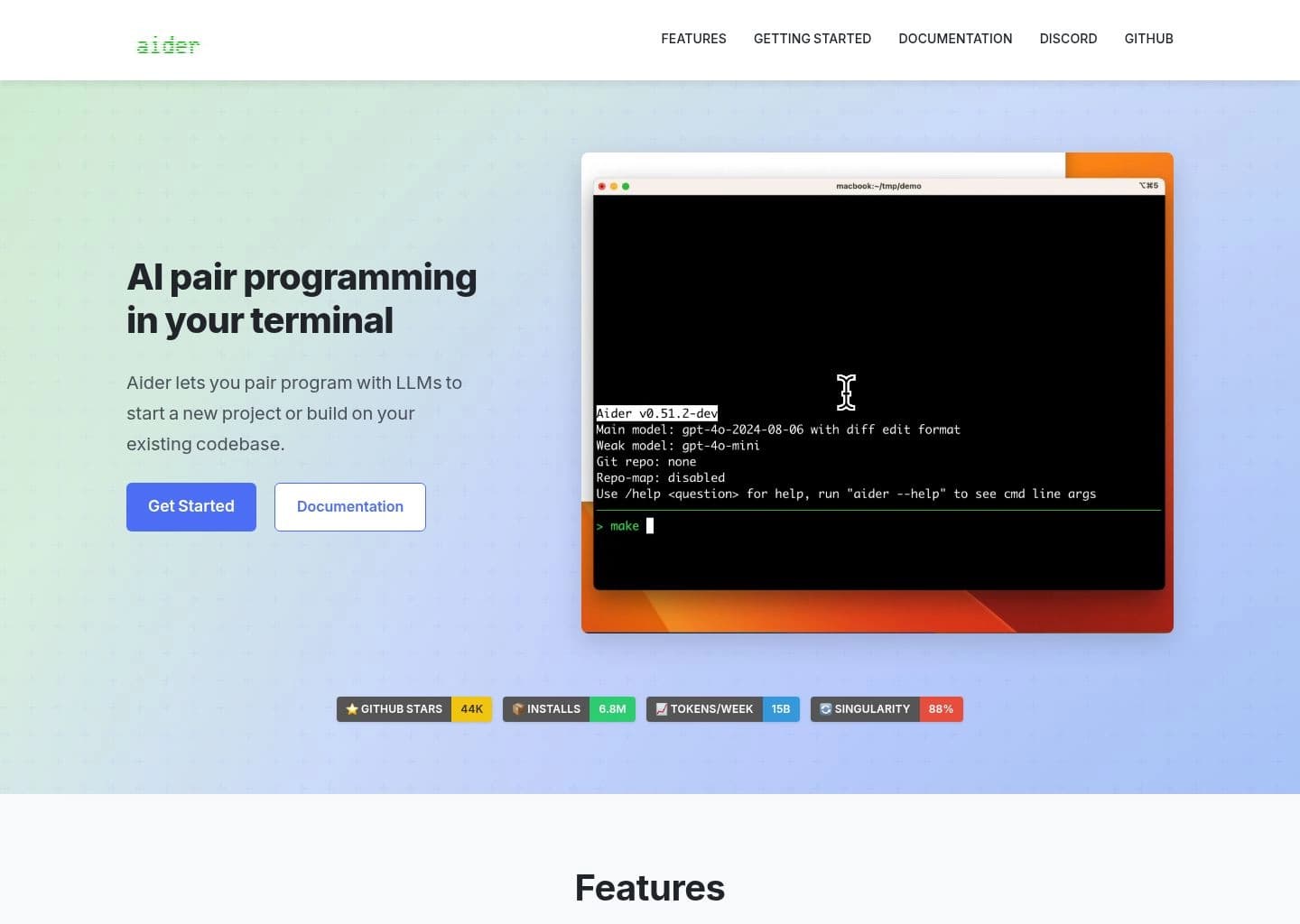
Aider
Aider
Open Source100% Free (BYO API Key)CLI / Terminal100% Local / Direct model API (No telemetry)Full Git repository map4.8(110)Alternatives →
CodeRabbit
CodeRabbit
FreemiumFree for Open Source ($15/dev/mo)GitHub & GitLab PR BotSOC2 Type II, Zero data retentionFull PR Diff & Repository Context4.8(65)Alternatives →
Sourcegraph Cody
Sourcegraph Cody
FreemiumFree ($9/mo Pro)VS Code, JetBrains, WebMulti-repo enterprise code graph securityEnterprise Code Graph Index4.7(72)Alternatives →
Codeium
Codeium
Freemium100% Free for IndividualsVS Code, JetBrains, 40+ IDEsZero code training for Individual tierContextual IDE Index4.8(220)Alternatives →
Devv AI
Devv AI
FreemiumFree ($10/mo Pro)Web / Chrome ExtensionAnonymized technical searchReal-Time Web & GitHub Index4.8(45)Alternatives →
Comprehensive Technical Reviews

In-Depth Reviews: 16 Best AI Tools for Developers in 2026

Detailed hands-on evaluation of each leading developer tool, breaking down practical architectures, key features, best use cases, trade-offs, context window limits, and real-world pricing.

#1
Cursor

Cursor

AI-Native IDEFreemium ($20/mo Pro)

The gold standard AI-native code editor built for multi-file codebase indexing and Composer editing.
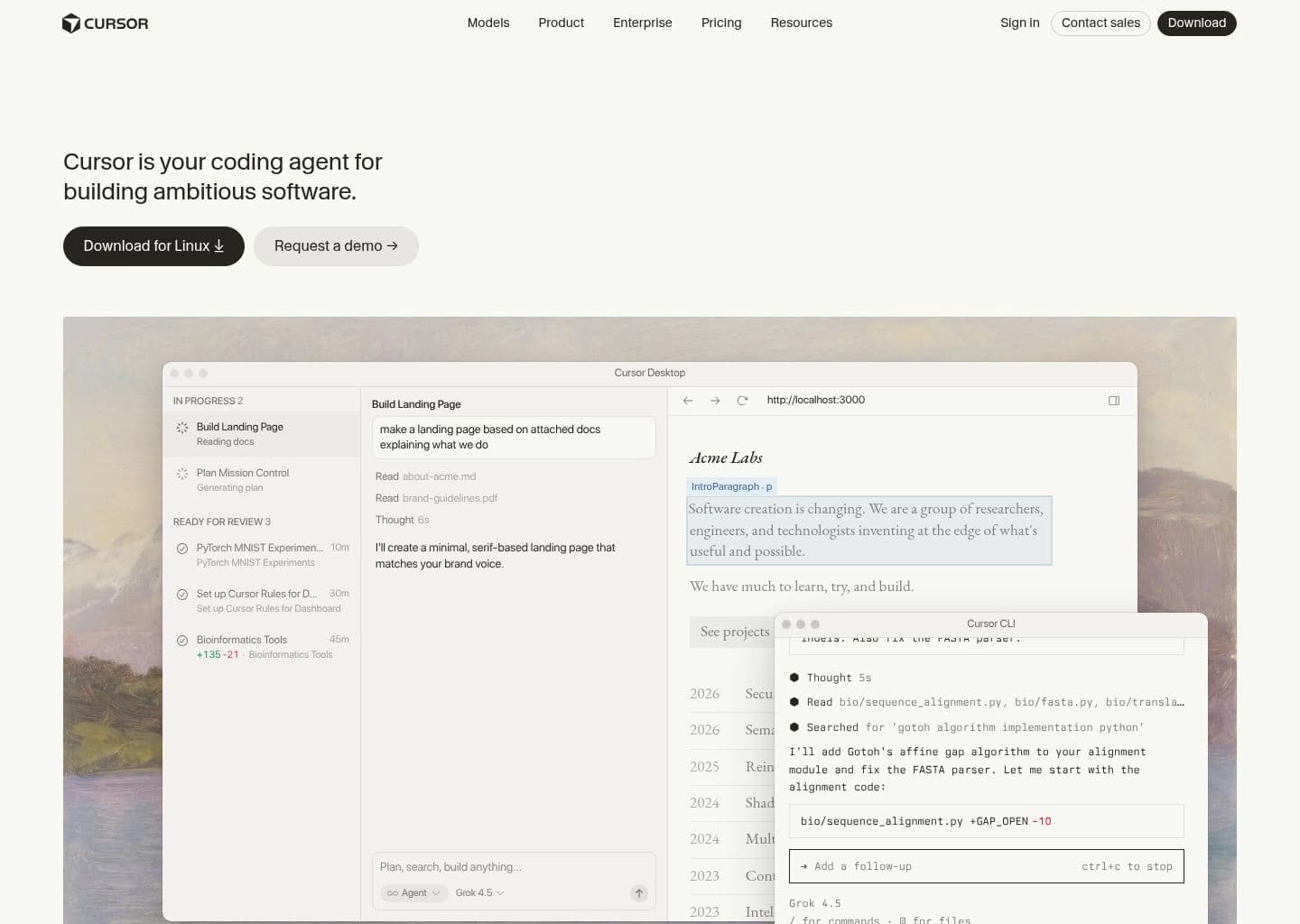
cursor.app — Workspace Preview
Verified UI
Cursor AI Developer Tool Workspace UI Preview
Official interface snapshot of Cursor for developers2026 Edition

Cursor is an AI-first fork of VS Code developed by Anysphere. Unlike traditional single-line autocomplete plugins that treat files in isolation, Cursor indexes your entire git repository using local symbol graphs and vector embeddings.

With its hallmark Composer feature (Ctrl+I / Cmd+I), developers can prompt the editor in natural language to perform complex architectural changes across dozens of files simultaneously. It provides granular side-by-side diff previews, automatic terminal error correction, and seamless switching between Claude 3.5 Sonnet, GPT-4o, and DeepSeek-V3.

Key Features & Technical Strengths

@codebase Context Indexing: Accurately resolves cross-file imports, database schemas, and shared utilities across massive repositories.
Composer Multi-File Editing: Autonomously creates, updates, and refactors multiple source files in a single prompt with instant diff review.
Terminal Auto-Fix: Automatically detects compiler failures, runtime exceptions, and missing npm/pip packages, proposing one-click fixes.
Flexible Frontier Model Routing: Switch seamlessly between Claude 3.5 Sonnet, GPT-4o, and custom API keys with zero latency penalty.
Best For

Full-stack software engineers, startups, and agile teams seeking a modern daily driver IDE with deep repository-wide contextual understanding.

Limitations & When Not To Use

Developers strictly locked into proprietary JetBrains or Visual Studio environments who cannot migrate to a VS Code-based fork.
Supported Environments:VS Code Fork (macOS, Windows, Linux) — 100% compatible with existing VS Code extensions and keybindings.
Context Window:Full Repository Indexing (@codebase) + 200,000 tokens for active frontier model queries.
Privacy & Telemetry:Zero Data Retention (ZDR) mode available. Code is never stored on servers or used for foundational model training on Enterprise/Pro tiers.
Free Tier: 14-day Pro trial with 50 fast premium model queries, followed by unlimited slow completions.
Pro Tier: $20/month — 500 fast premium requests per month (Claude 3.5 Sonnet / GPT-4o) + unlimited slow requests.
#2
Claude Code

Claude Code

Terminal AgentPaid (Usage-Based API)

Anthropic's official agentic coding tool that lives directly inside your developer terminal.

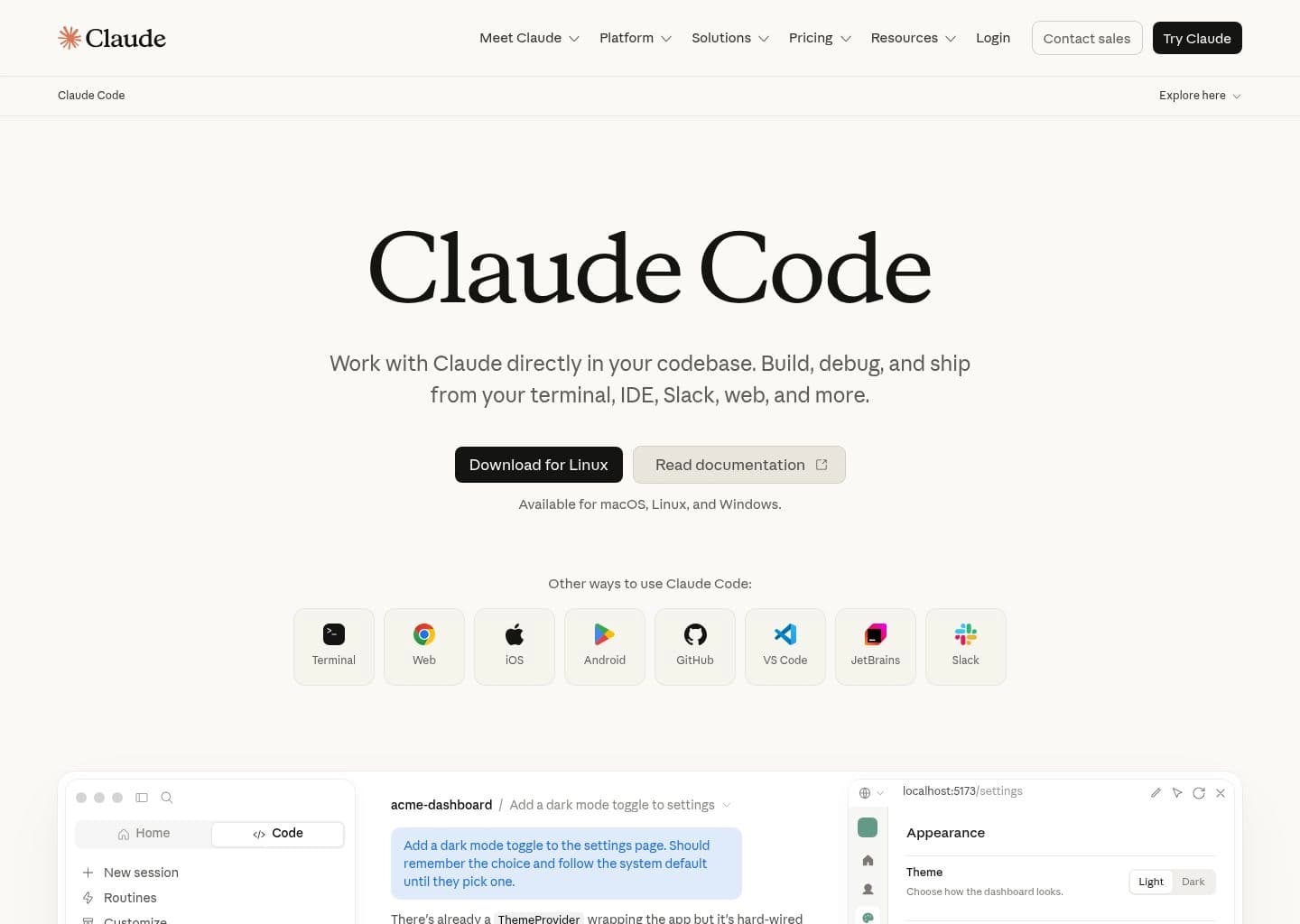
claude-code.app — Workspace Preview
Verified UI
Claude Code AI Developer Tool Workspace UI Preview
Official interface snapshot of Claude Code for developers2026 Edition

Claude Code is Anthropic's state-of-the-art autonomous coding agent engineered to operate directly in command-line environments. It treats your terminal as its native sandbox, reading files, executing build scripts, analyzing test outputs, and running git commands without requiring constant manual intervention.

Powered by Claude 3.5 Sonnet and a massive 200,000 token context window, Claude Code excels at complex engineering tasks such as resolving deep git merge conflicts, migrating frameworks, building end-to-end integration tests, and fixing hard-to-reproduce edge-case bugs.

Key Features & Technical Strengths

Native Terminal Execution: Runs bash scripts, linters, and unit tests directly in your local environment, inspecting exit codes automatically.
Autonomous Multi-Step Planning: Breaks down complex user requests into architectural milestones, requesting confirmations only on destructive operations.
Deep Architectural Context: Traverses directory trees, greps symbols, and inspects git diffs across hundreds of files with 200k token memory.
Sub-Agent Task Delegation: Spawns asynchronous worker agents to perform background research and dependency audits without blocking the main workflow.
Best For

Senior backend engineers, DevOps specialists, and developers who prefer high-leverage terminal workflows, automated refactoring, and test-driven development.

Limitations & When Not To Use

Developers seeking an inline UI autocomplete popup inside visual IDEs or beginners looking for a visual WYSIWYG editor.

Supported Environments:CLI / Terminal (macOS, Linux, WSL on Windows) via npm package (`@anthropic-ai/claude-code`).
Context Window:200,000 tokens powered by Anthropic Claude 3.5 Sonnet / Claude 3.7 Sonnet.
Privacy & Telemetry:Standard Anthropic commercial terms. API customer inputs and outputs are never used to train foundation models.
Free Tier: No standalone subscription; billed directly against your Anthropic Console API account.
Pro Tier: Usage-based pricing: ~$3.00 / million input tokens and ~$15.00 / million output tokens via Claude 3.5 Sonnet.
#3
Supermaven

Supermaven

Ultra-Fast AutocompleteFreemium ($10/mo Pro)

The fastest AI code copilot with sub-50ms latency and a massive 1 million token context window.

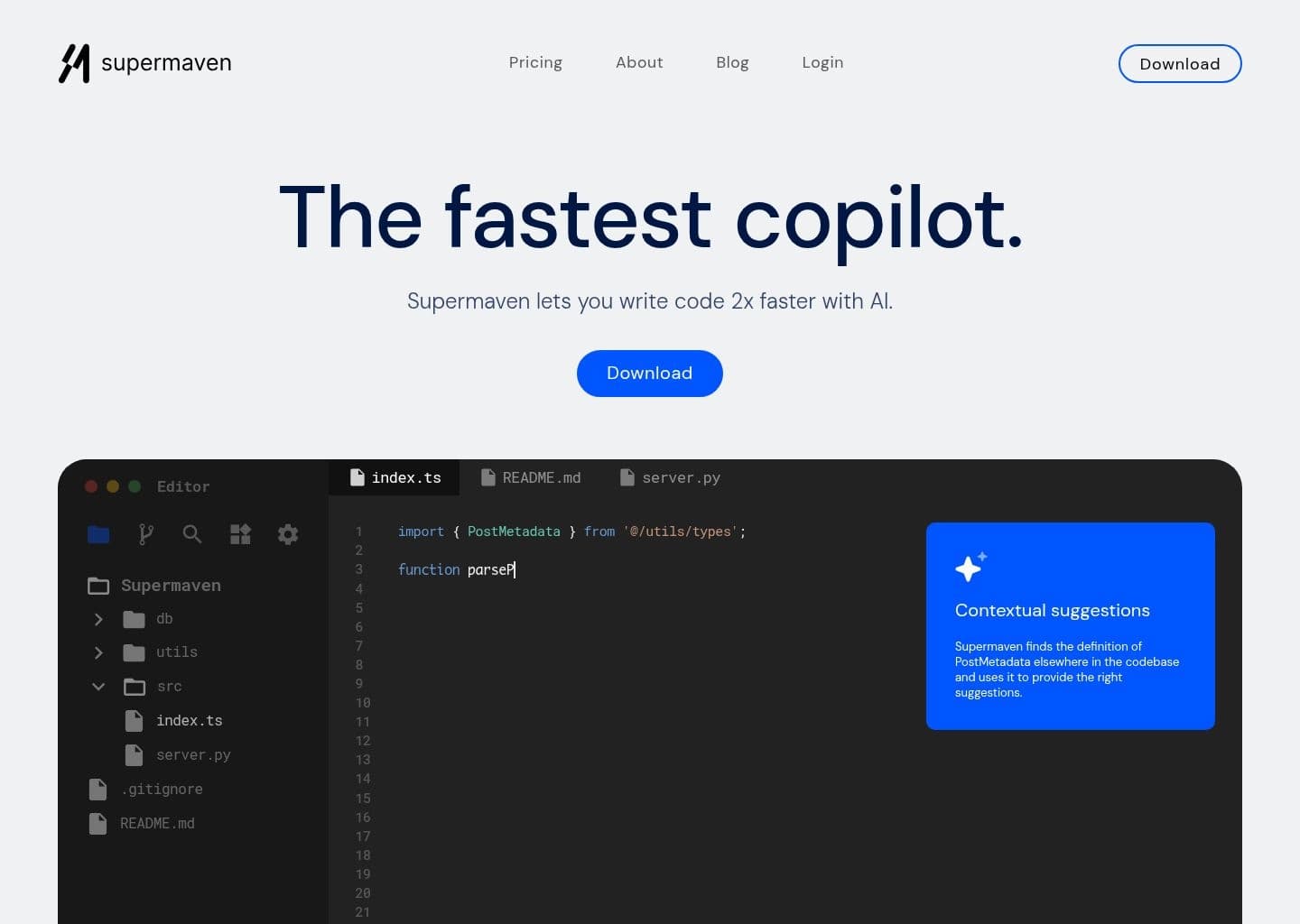
supermaven.app — Workspace Preview
Verified UI
Supermaven AI Developer Tool Workspace UI Preview
Official interface snapshot of Supermaven for developers2026 Edition

Created by the original co-creator of Tabnine, Supermaven was engineered from the ground up to solve the latency and context bottlenecks inherent to standard AI completion tools. It utilizes a bespoke 1-million-token neural network architecture called Babble.

While typical copilots suffer from 300ms–800ms lag and forget code written in other tabs, Supermaven delivers completions in under 50ms while maintaining memory of your entire recent commit history, project conventions, and open editor tabs.

Key Features & Technical Strengths

Sub-50ms Keystroke Latency: Suggestions appear almost instantly as you type, matching the speed of native IDE language servers.
1,000,000 Token Context Window: Ingests massive workspace context so suggestions respect naming patterns and utility methods across the entire project.
Ultra-Lightweight Extensions: Minimal memory footprint across VS Code, JetBrains IDEs, and Neovim without slowing down IDE startup times.
Custom Babble Architecture: Tailored language model optimized exclusively for code completion precision rather than generic conversational chit-chat.
Best For

Engineers who demand zero-lag, instant inline autocompletion without context drop-offs, especially across large multi-repository codebases.

Limitations & When Not To Use

Developers seeking an autonomous terminal agent that runs shell commands or builds full-stack apps from prompt scaffolding.

Supported Environments:VS Code, JetBrains IDEs (IntelliJ, WebStorm, PyCharm), Neovim, and Sublime Text.
Context Window:1,000,000 tokens (Babble custom context model).
Privacy & Telemetry:Pro plans guarantee code privacy and zero training on customer proprietary codebases.
Free Tier: Free tier available with standard 300k token context window and high-speed completions.
Pro Tier: $10/month ($99/year) — Unlocks full 1,000,000 token context window, sub-50ms latency, and Claude 3.5 Sonnet chat integration.
#4
GitHub Copilot

GitHub Copilot

Enterprise CopilotFreemium ($10/mo Pro)

The most widely adopted AI assistant backed by Microsoft, OpenAI, and GitHub enterprise governance.

github-copilot.app — Workspace Preview
Verified UI
GitHub Copilot AI Developer Tool Workspace UI Preview
Official interface snapshot of GitHub Copilot for developers2026 Edition

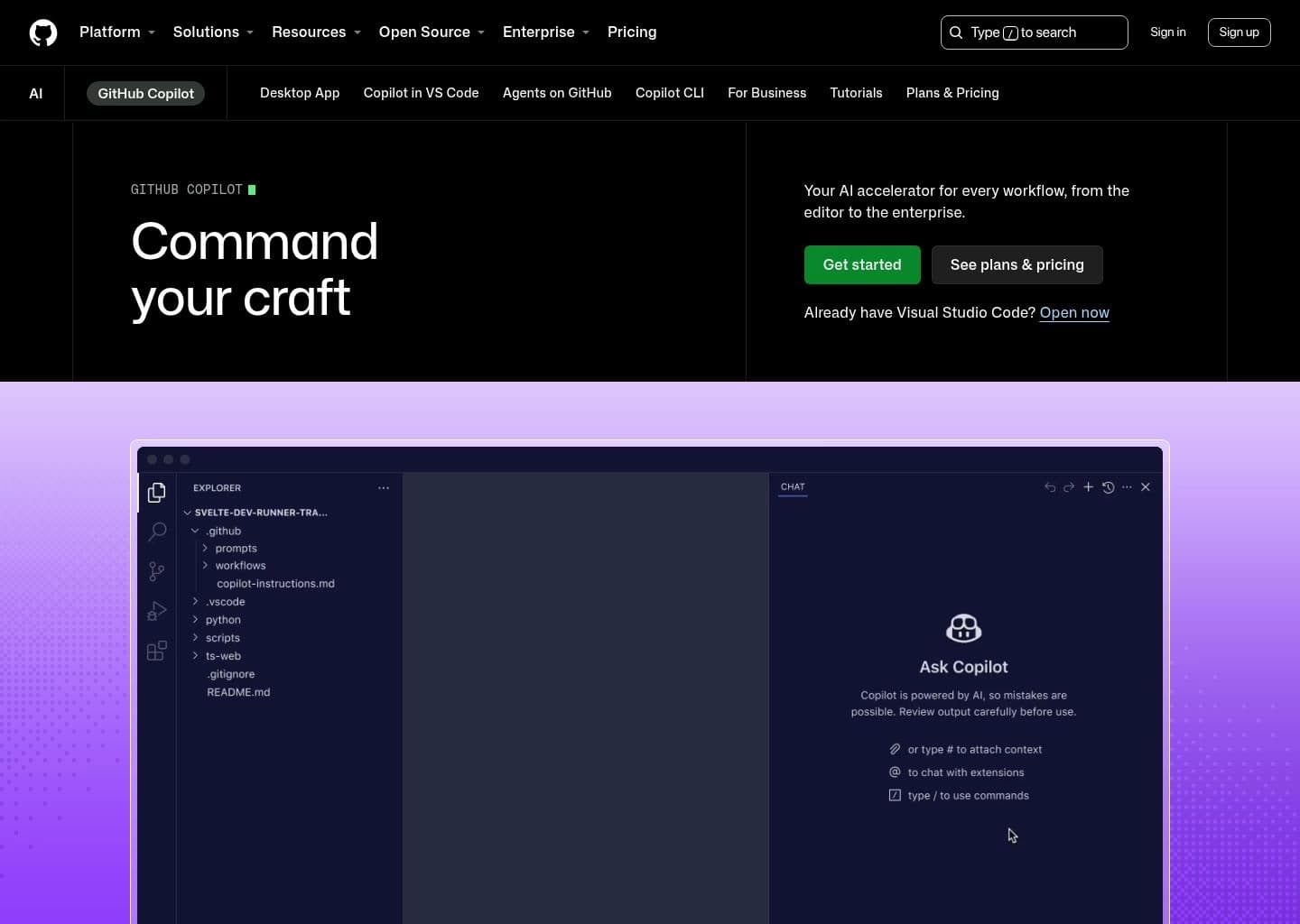
GitHub Copilot remains the industry benchmark for corporate developer adoption. Integrated directly into GitHub and supported across every major IDE, Copilot provides inline code completions, multi-turn chat, pull request summarization, and CLI command generation.

Backed by OpenAI GPT-4o and Anthropic Claude 3.5 Sonnet model routing, Copilot combines enterprise-grade compliance with seamless IDE integration. Copilot Workspace further extends capabilities by planning issue implementations directly within the GitHub UI.

Key Features & Technical Strengths

Universal IDE Compatibility: Official first-party extensions for Visual Studio, VS Code, JetBrains, Xcode, and Neovim.
Copilot Workspace & Pull Request Insights: Automatically generates PR descriptions, reviews code diffs, and plans issue resolutions.
Enterprise Compliance & IP Indemnification: Strict SOC2 Type II compliance, policy controls, and commercial IP indemnification for enterprise customers.
Multi-Model Selection: Allows Enterprise users to toggle between OpenAI GPT-4o, Anthropic Claude 3.5 Sonnet, and Gemini 1.5 Pro.
Best For

Enterprise software organizations, regulated industries, and teams already deeply invested in the GitHub Enterprise and Microsoft Azure ecosystem.

Limitations & When Not To Use

Developers seeking bleeding-edge autonomous multi-file Composer refactoring or sub-50ms completion speeds.

Supported Environments:VS Code, Visual Studio (2022), JetBrains IDEs, Neovim, and GitHub.com web interface.
Context Window:Dynamic contextual sliding window + Copilot Chat Workspace index.
Privacy & Telemetry:Enterprise and Business tiers exclude user code snippets from foundational model training by default.
Free Tier: Free tier for verified students, educators, and maintainers of popular open-source repositories; basic free tier for individuals with 2,000 completions/month.
Pro Tier: $10/month ($100/year) — Unlimited completions, Copilot Chat, and CLI assistant.
#5
Windsurf (Devin Desktop)

Windsurf (Devin Desktop)

Flow-Based AI IDEFreemium ($15/mo Pro)

AI-native IDE featuring Cascade Flow technology for real-time human-AI collaborative engineering.

windsurf-devin-desktop.app — Workspace Preview
Verified UI
Windsurf (Devin Desktop) AI Developer Tool Workspace UI Preview
Official interface snapshot of Windsurf (Devin Desktop) for developers2026 Edition

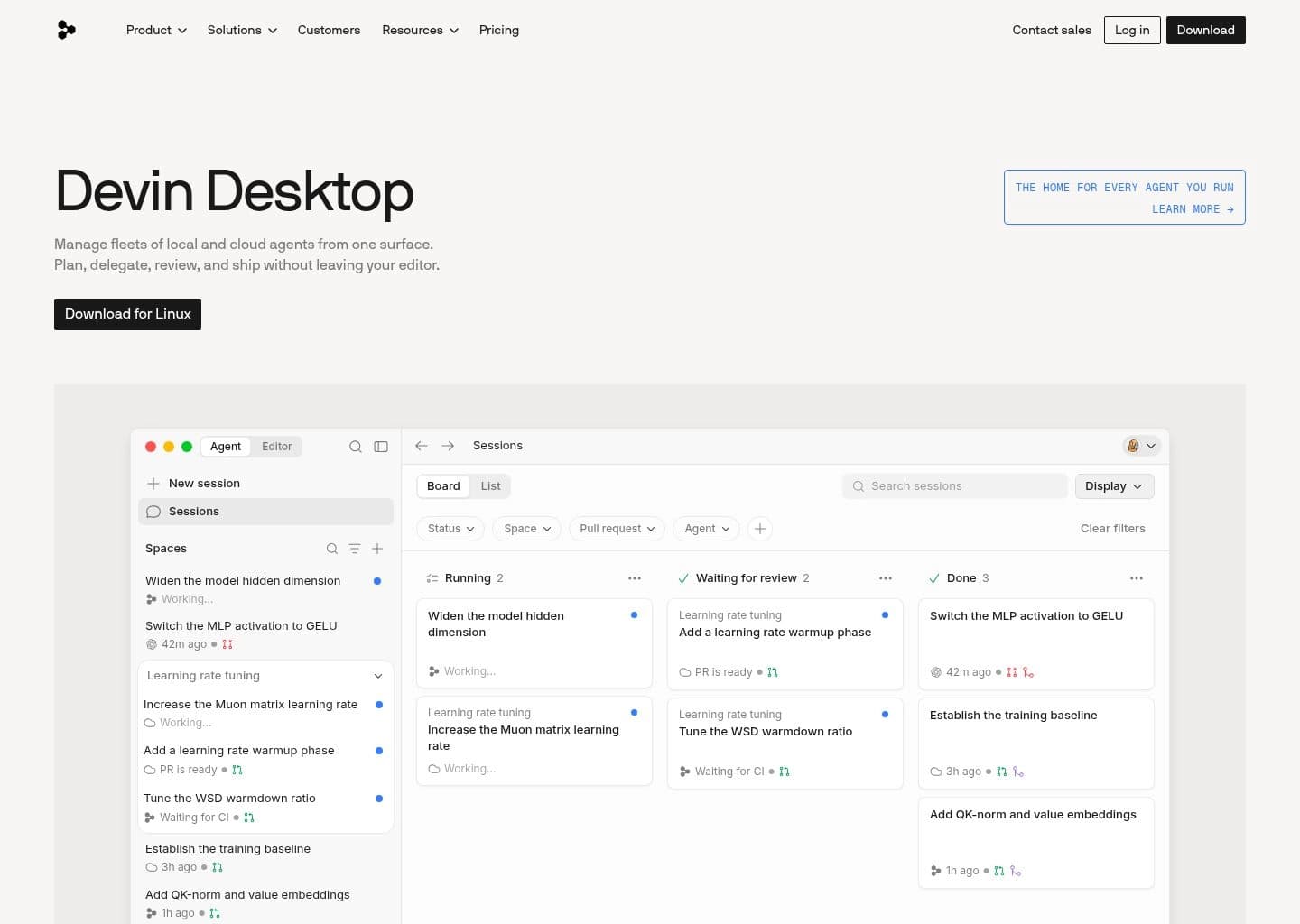
Windsurf is an innovative AI-native IDE created by Codeium. Rather than treating AI as an external chatbot or a disconnected prompt box, Windsurf introduces Cascade Flow, a synchronized state engine where human developers and AI agents edit the codebase in tandem.

Windsurf maintains a living mental model of developer cursor movements, active files, and terminal executions, preventing the context drift common in other editors. It automatically runs tests, diagnoses compiler warnings, and stages changes with minimal friction.

Key Features & Technical Strengths

Cascade Collaborative Agent: Seamlessly switches between copiloting (inline suggestions) and autonomous agent mode (multi-file refactoring).
Supercomplete State Awareness: Anticipates multi-cursor edits and next likely code locations based on recent refactoring patterns.
Integrated Context Awareness: Automatically references open tabs, terminal commands, and recent git history without manual @tagging.
Proprietary Multi-Modal Engine: Built on Codeium’s proven high-speed inference infrastructure with support for Claude 3.5 Sonnet and GPT-4o.
Best For

Developers seeking an AI-native VS Code alternative with a more cohesive collaborative flow and highly intuitive multi-file agent execution.

Limitations & When Not To Use

Engineers who prefer staying strictly in vanilla VS Code or JetBrains without switching to a standalone editor application.

Supported Environments:Windsurf Desktop IDE (macOS, Windows, Linux) with 100% VS Code extension compatibility.
Context Window:Deep Cascade Repository Index + 200,000 token frontier model context.
Privacy & Telemetry:Zero Data Retention options and enterprise security compliance on paid plans.
Free Tier: Generous Free tier with unlimited fast completions and Cascade access.
Pro Tier: $15/month — Unlimited premium model access (Claude 3.5 Sonnet / GPT-4o), priority Cascade inference, and advanced context.
#6
Bolt.new

Bolt.new

Full-Stack Web BuilderFreemium ($20/mo Pro)

In-browser AI full-stack development sandbox powered by WebContainers to build and deploy production apps.

boltnew.app — Workspace Preview
Verified UI
Bolt.new AI Developer Tool Workspace UI Preview
Official interface snapshot of Bolt.new for developers2026 Edition

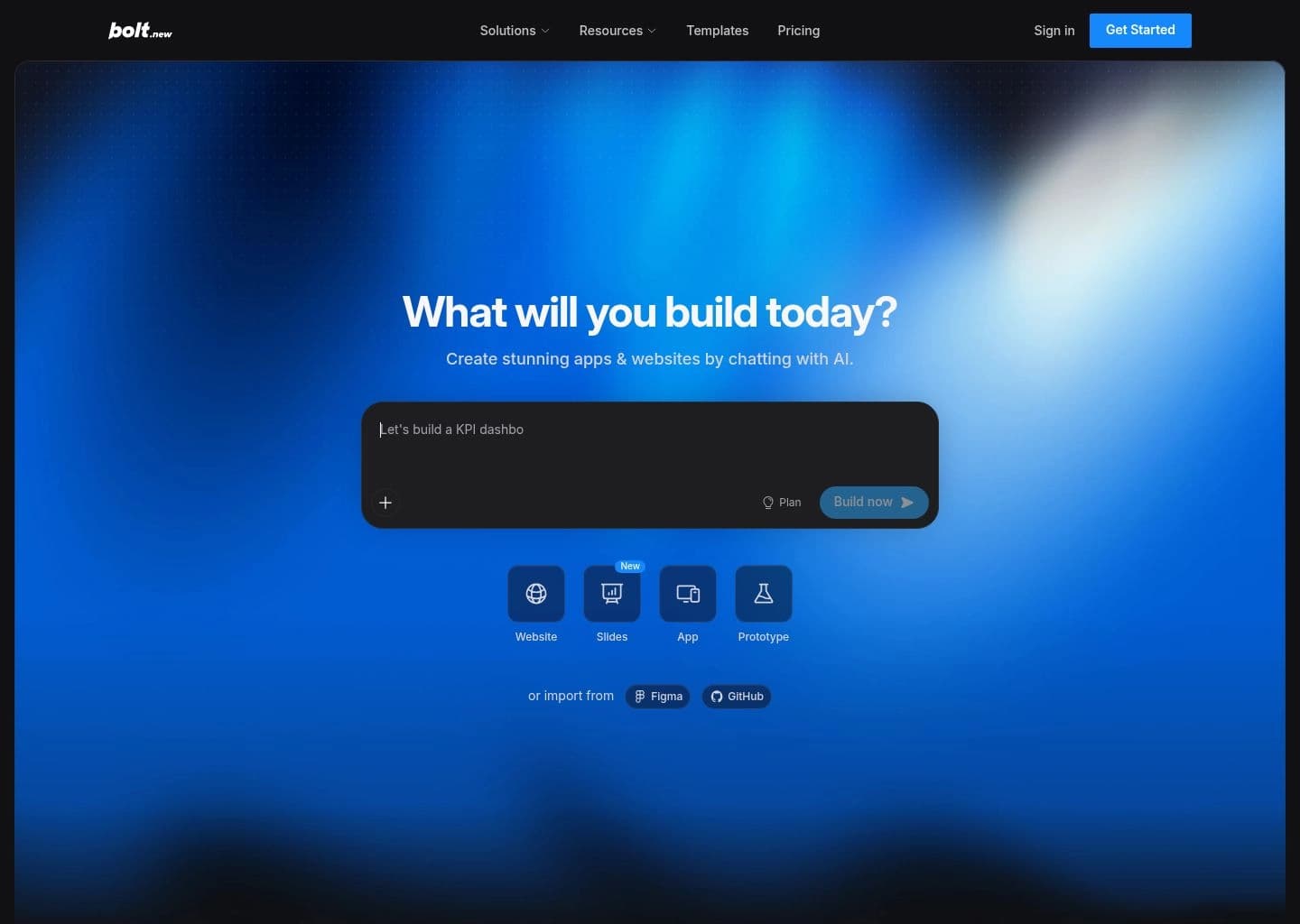
Bolt.new by StackBlitz has revolutionized full-stack AI prototyping by running a complete Node.js environment directly inside the browser using WebContainers. From a single prompt, Bolt scaffolds full-stack applications (Next.js, Vite, React, Node, SQL).

Unlike tools that only generate UI snippets, Bolt installs npm packages, runs backend servers, executes terminal commands, and renders live interactive previews in real time without requiring local environment setup.

Key Features & Technical Strengths

In-Browser WebContainer Execution: Runs full Node.js servers, compiles Vite/Next.js builds, and installs npm packages directly inside the browser.
Live Interactive Preview: Instant real-time rendering of full-stack web applications with hot module reloading.
One-Click Netlify / Vercel Deployment: Push production builds directly to live URLs with custom domains in seconds.
Direct GitHub Repository Export: Synchronizes generated code directly to GitHub repositories for seamless handoff to local IDEs.
Best For

Product managers, founders, and frontend engineers building functional full-stack MVPs, proof-of-concepts, and interactive prototypes rapidly.

Limitations & When Not To Use

Large legacy enterprise monorepos with proprietary C++/Java backend dependencies that cannot run inside browser WebContainers.

Supported Environments:In-Browser Web Application (Chrome, Edge, Safari, Firefox).
Context Window:Full Application Project Tree & Virtual File System.
Privacy & Telemetry:Isolated client-side sandboxing with cloud persistence; enterprise data privacy terms available.
Free Tier: Free tier with daily token credits for prototyping and sandbox experimentation.
Pro Tier: $20/month — 10 million monthly compute tokens, custom domains, private projects, and priority Claude 3.5 Sonnet reasoning.
#7
v0 by Vercel

v0 by Vercel

Generative UI BuilderFreemium ($20/mo Premium)

Vercel's generative UI system that creates production-ready React, Tailwind CSS, and shadcn/ui components.

v0-by-vercel.app — Workspace Preview
Verified UI
v0 by Vercel AI Developer Tool Workspace UI Preview
Official interface snapshot of v0 by Vercel for developers2026 Edition

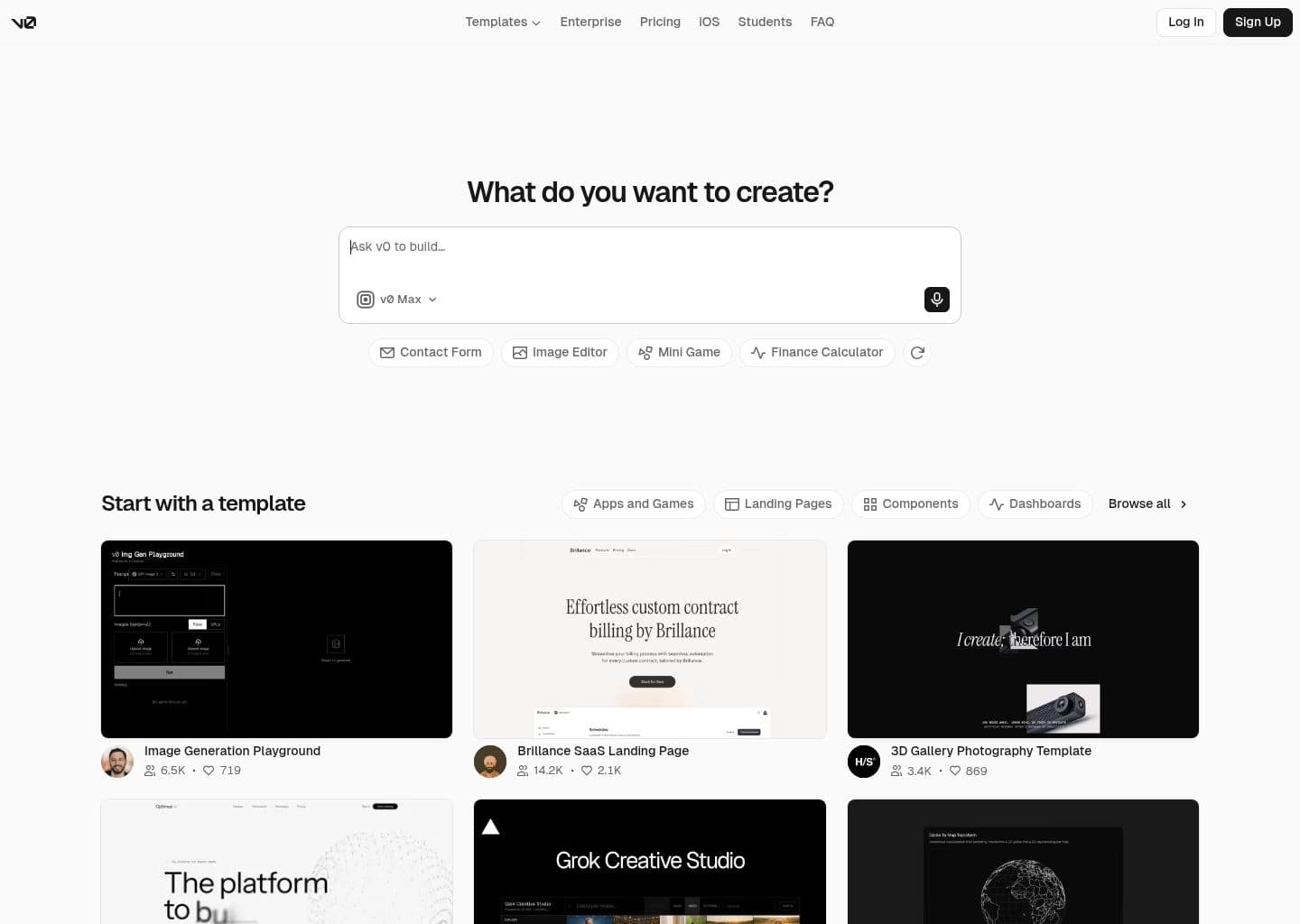
v0 is Vercel’s flagship generative UI platform. It converts natural language prompts and image mockups into pristine, accessible React components styled with Tailwind CSS and the industry-standard shadcn/ui design system.

Designed specifically for modern web developers, v0 generates modular, copy-pasteable code that integrates natively into Next.js applications via the `npx v0 add` command-line tool, drastically accelerating frontend design-to-code cycles.

Key Features & Technical Strengths

Production-Ready React & Tailwind: Generates clean, accessible JSX components adhering to shadcn/ui design patterns.
Design to Code from Screenshots: Upload Figma frames, UI screenshots, or whiteboard sketches to generate matching frontend code.
CLI Component Integration: Run `npx v0 add [component-id]` to inject components directly into your local Next.js project.
Iterative Visual Refinement: Select specific UI elements on the canvas to refine colors, typography, and layout responsiveness.
Best For

Frontend developers, design engineers, and full-stack builders who need polished, accessible UI components without writing boilerplate CSS.

Limitations & When Not To Use

Backend-heavy business logic, database migrations, or algorithmic data engineering tasks.

Supported Environments:Web Application + Next.js CLI integration (`npx v0 add`).
Context Window:React Component Hierarchy & Tailwind Design Tokens.
Privacy & Telemetry:Backed by Vercel enterprise security and privacy governance standards.
Free Tier: Free tier with 200 monthly generation credits for community members.
Pro Tier: $20/month — 5,000 monthly generation credits, private component generations, and higher rate limits.
#8
Aider

Aider

Open-Source CLI Agent100% Free & Open Source

Leading open-source command-line AI pair programmer with deep git integration and repository mapping.

aider.app — Workspace Preview
Verified UI
Aider AI Developer Tool Workspace UI Preview
Official interface snapshot of Aider for developers2026 Edition

Aider is the premier open-source AI pair programming tool that works seamlessly inside your terminal. It pairs with your existing git repository, automatically creating formatted git commits with descriptive commit messages after every successful change.

Aider utilizes a sophisticated Repository Map algorithm using tree-sitter AST parsing to map all classes, functions, and call graphs across your codebase. This allows models like Claude 3.5 Sonnet and DeepSeek-V3 to execute complex multi-file refactors with minimal token consumption.

Key Features & Technical Strengths

Automatic Git Commits: Commits code changes automatically with clear, contextual git messages, allowing easy rollbacks (`/undo`).
Tree-Sitter Repository Mapping: Builds a compact AST map of your entire repo, feeding relevant symbol relationships into LLM prompts.
Universal LLM Support (BYOK): Connect to Claude 3.5 Sonnet, OpenAI GPT-4o, DeepSeek-V3, or local offline models via Ollama / LM Studio.
Architect Mode: Two-stage reasoning workflow where an architect model plans the solution and an editor model writes the diff.
Best For

Developers who prioritize open-source tooling, full data privacy, local model execution, and tight git version control integration.

Limitations & When Not To Use

Developers who want a visual GUI editor without interacting with terminal command flags.

Supported Environments:Cross-platform CLI (macOS, Linux, Windows) installed via `pip install aider-chat` or `pipx`.
Context Window:Full Repository Map + Model-specific context (up to 200k tokens on Sonnet).
Privacy & Telemetry:100% Local execution with zero telemetry. Prompts are transmitted directly to your chosen model provider API with no intermediary proxy.
Free Tier: 100% Free and Open Source under Apache 2.0 license.
Pro Tier: Zero software cost. Users pay only for their own raw LLM API usage (Anthropic, OpenAI, DeepSeek, or $0 for local Ollama).
#9
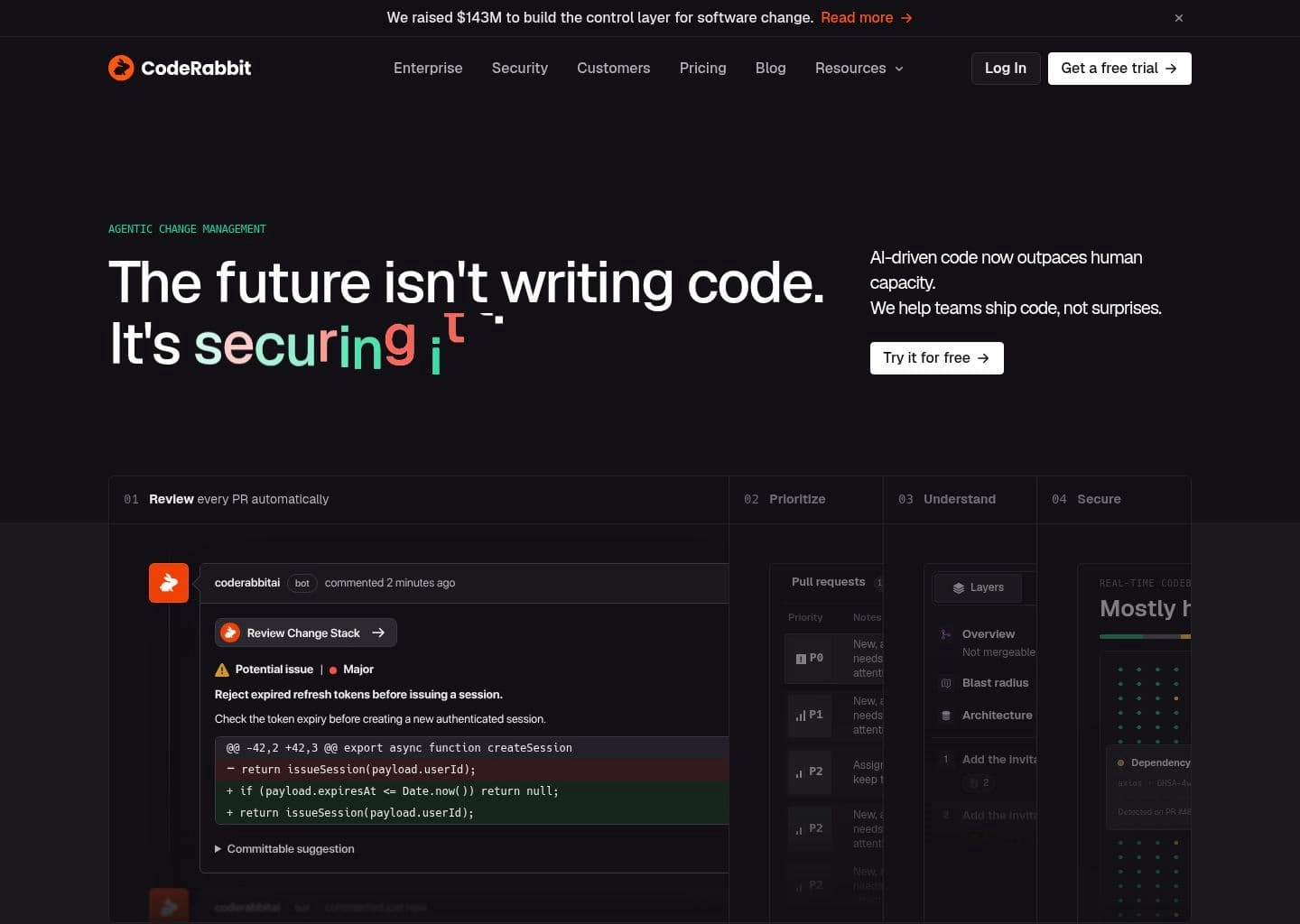
CodeRabbit

CodeRabbit

AI Code ReviewerFreemium ($15/dev/mo)

AI-first automated pull request reviewer that catches bugs, security vulnerabilities, and logic flaws.

coderabbit.app — Workspace Preview
Verified UI
CodeRabbit AI Developer Tool Workspace UI Preview
Official interface snapshot of CodeRabbit for developers2026 Edition

CodeRabbit is an intelligent code review platform that integrates directly into GitHub and GitLab pull request workflows. It acts as an autonomous senior code reviewer, analyzing pull request diffs within the context of the entire repository.

CodeRabbit provides actionable line-by-line comments, automated sequence diagrams of code flows, security vulnerability scans, and one-click committable fixes, reducing human PR review turnaround times by up to 50%.

Key Features & Technical Strengths

Context-Aware PR Reviews: Evaluates PR diffs against the broader repository architecture, catching breaking API changes and edge cases.
One-Click Committable Fixes: Suggests exact replacement code snippets that developers can commit directly from GitHub PR comments.
Interactive PR Chat: Developers can converse with CodeRabbit in PR comment threads to explain nuances or request alternative implementations.
Automated Architecture Diagrams: Generates Mermaid sequence diagrams illustrating call flows introduced by the pull request.
Best For

Engineering managers, lead developers, and fast-moving teams looking to accelerate pull request velocity and enforce code quality standards.

Limitations & When Not To Use

Individual solo developers who do not use pull requests or code review workflows in their projects.

Supported Environments:GitHub.com, GitLab, and self-hosted GitLab / GitHub Enterprise.
Context Window:Full PR Diff + Repository Dependency Context.
Privacy & Telemetry:SOC2 Type II certified. Zero Data Retention policy guarantees code is never stored or used to train foundational AI models.
Free Tier: 100% Free for all public open-source repositories with unlimited pull requests.
Pro Tier: $15/developer/month for private repositories with unlimited PR reviews and chat interactions.
#10
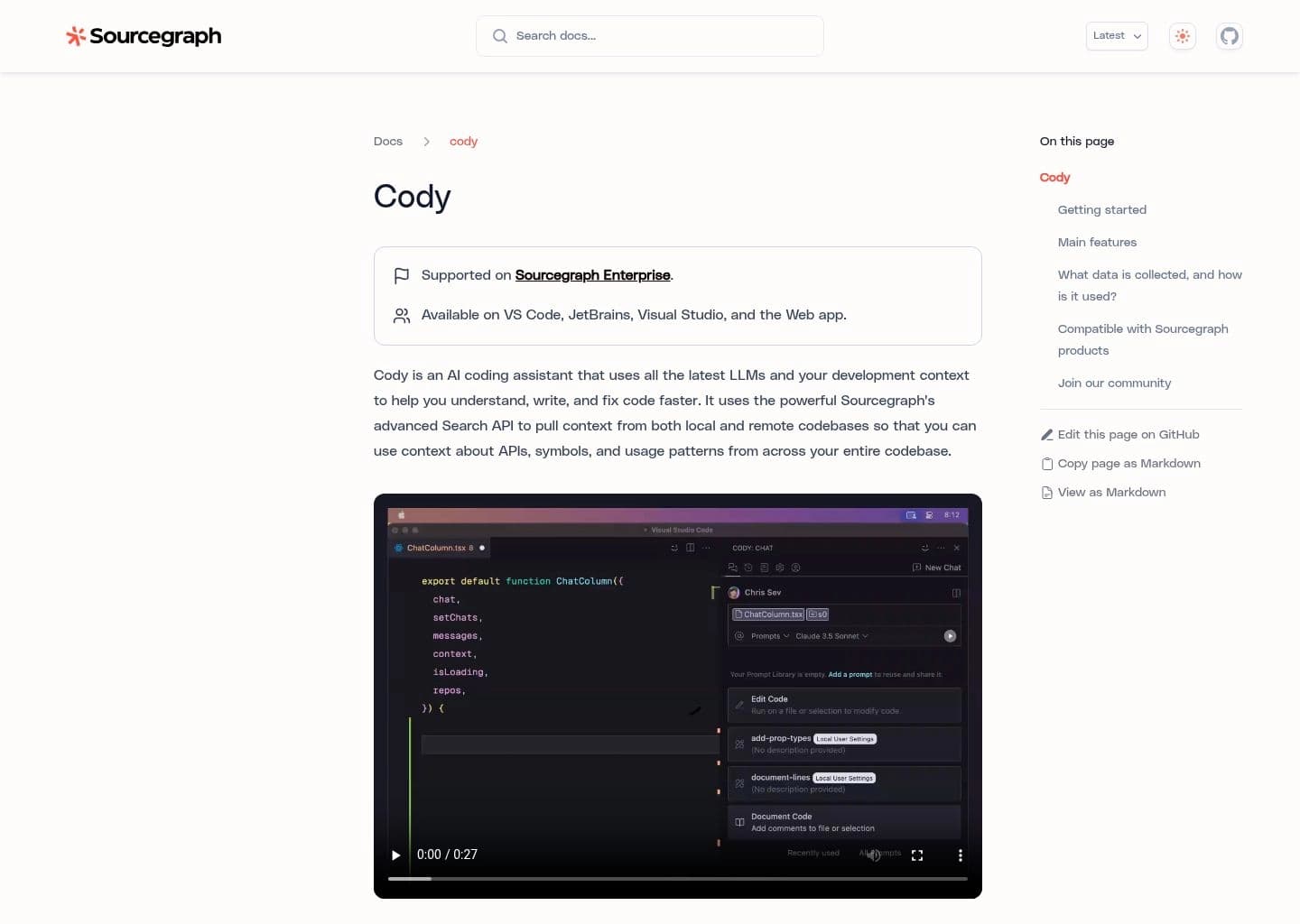
Sourcegraph Cody

Sourcegraph Cody

Enterprise Code GraphFreemium ($9/mo Pro)

AI coding assistant powered by Sourcegraph’s multi-repository code graph and deep semantic search.

sourcegraph-cody.app — Workspace Preview
Verified UI
Sourcegraph Cody AI Developer Tool Workspace UI Preview
Official interface snapshot of Sourcegraph Cody for developers2026 Edition

Sourcegraph Cody is an enterprise-grade AI coding assistant built on top of Sourcegraph’s renowned code intelligence platform. While most AI assistants are limited to single repositories, Cody can query and reference hundreds of interconnected microservices across an enterprise.

By utilizing Sourcegraph’s multi-repository code graph, Cody retrieves exact definitions, cross-service APIs, and documentation, ensuring suggestions adhere to company-wide architectural standards.

Key Features & Technical Strengths

Multi-Repository Code Intelligence: Answers complex queries that span across dozens of company microservices and libraries.
Flexible LLM Selection: Choose between Anthropic Claude 3.5 Sonnet, OpenAI GPT-4o, and Gemini 1.5 Pro within the same workspace.
Context Filters & Guardrails: Enforce strict data governance rules, preventing sensitive repositories from being indexed.
Inline Autocomplete & Unit Test Gen: Fast inline completions and one-click test generation across VS Code and JetBrains IDEs.
Best For

Enterprise software organizations managing large monorepos or distributed microservice architectures across hundreds of repositories.

Limitations & When Not To Use

Solo developers building small, single-file projects where multi-repo graph intelligence is unnecessary.

Supported Environments:VS Code, JetBrains IDEs, Neovim, and Sourcegraph Enterprise Web UI.
Context Window:Enterprise Multi-Repo Semantic Code Graph Index.
Privacy & Telemetry:Enterprise-grade zero-retention guarantee. On-premises and self-hosted deployment options available.
Free Tier: Free tier with standard autocomplete and limited monthly chat queries.
Pro Tier: $9/month — Unlimited completions, unlimited Claude 3.5 Sonnet / GPT-4o chat, and enhanced context.
#11
Codeium

Codeium

Free Multi-IDE Copilot100% Free for Individuals

Generous free AI coding copilot supporting 70+ programming languages and 40+ IDEs.

codeium.app — Workspace Preview
Verified UI
Codeium AI Developer Tool Workspace UI Preview
Official interface snapshot of Codeium for developers2026 Edition

Codeium has earned massive popularity by offering a 100% free, unlimited AI coding assistant for individual developers. Powered by proprietary high-throughput inference infrastructure, Codeium delivers ultra-fast autocomplete, chat, and search across 40+ IDEs.

Unlike many competitors that limit completions behind paywalls, Codeium provides unrestricted individual access with zero telemetry training on personal code, making it the top free alternative to GitHub Copilot.

Key Features & Technical Strengths

100% Free Unlimited Autocomplete: No artificial rate limits or monthly query caps for individual programmers.
Support for 40+ IDEs: Extensions for VS Code, JetBrains, Xcode, Eclipse, Vim/Neovim, Emacs, Visual Studio, and Jupyter.
Codeium Live Chat: Interactive assistant for code explanations, bug diagnosis, and unit test generation.
Codeium Command: In-editor refactoring interface to modify highlighted code blocks with natural language.
Best For

Individual developers, students, and budget-conscious engineering teams who need a high-quality free copilot across non-standard IDEs.

Limitations & When Not To Use

Teams requiring deep multi-file autonomous Composer agents directly out of the box (for that, see Codeium’s standalone Windsurf IDE).

Supported Environments:40+ IDEs including VS Code, JetBrains, Xcode, Neovim, Visual Studio, Emacs, and Eclipse.
Context Window:Contextual IDE Buffer & Local Project Symbol Index.
Privacy & Telemetry:Individual tier guarantees zero code training; enterprise tier offers on-prem air-gapped deployment.
Free Tier: 100% Free Forever for Individual developers with unlimited fast completions and chat.
Pro Tier: $15/month (Pro/Teams) — Adds Windsurf IDE Cascade priority access, advanced model routing, and admin controls.
#12
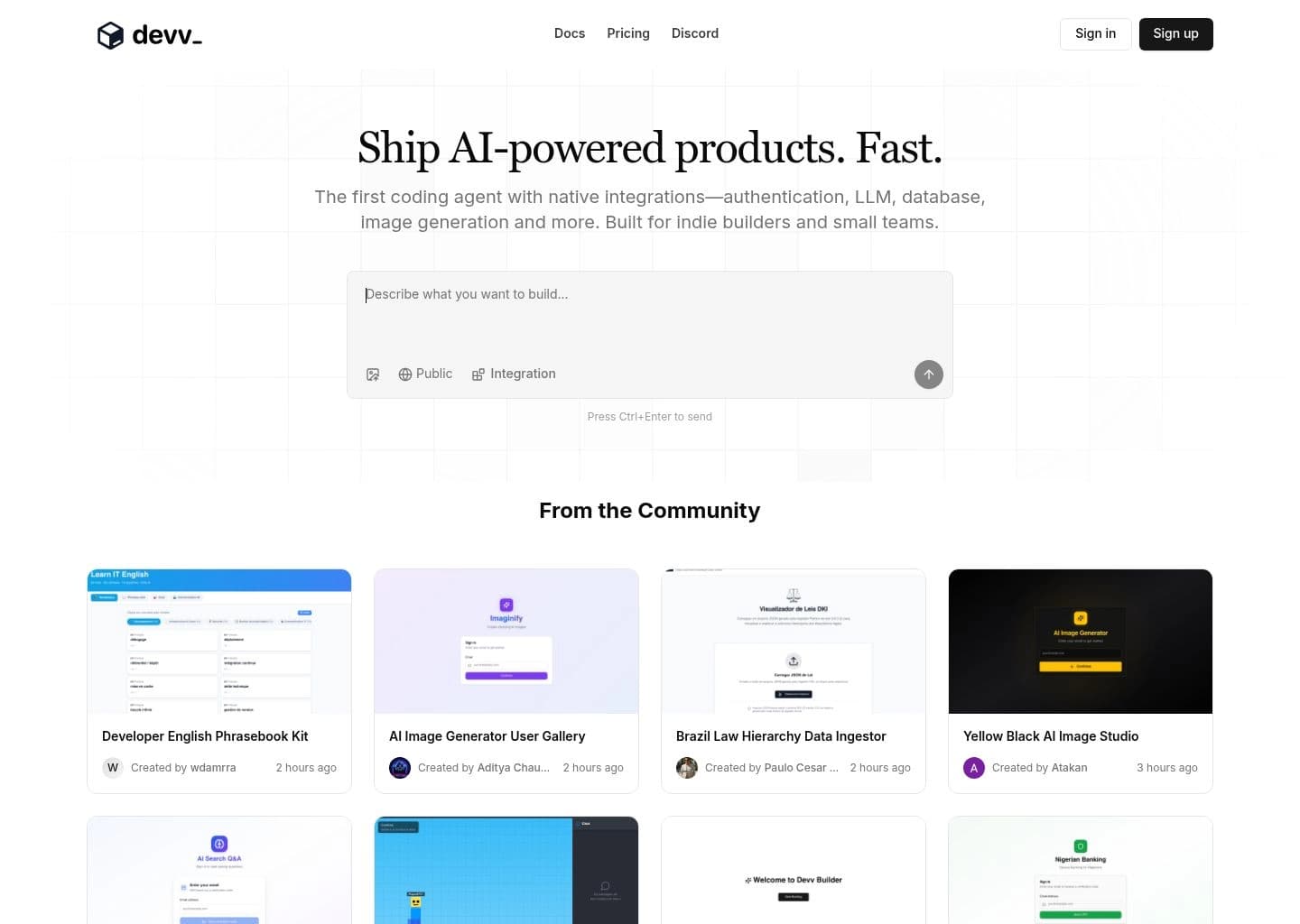
Devv AI

Devv AI

Developer Search EngineFreemium ($10/mo Pro)

The AI search engine engineered specifically for software engineers, official docs, and GitHub code.

devv-ai.app — Workspace Preview
Verified UI
Devv AI AI Developer Tool Workspace UI Preview
Official interface snapshot of Devv AI for developers2026 Edition

Devv AI is a next-generation AI search engine built specifically for developers. While general search engines and generic AI chatbots often hallucinate outdated package syntax or regurgitate SEO spam, Devv indexes official documentation, GitHub repositories, and Stack Overflow in real time.

Devv delivers accurate code snippets, exact citations, library version compatibility checks, and executable reproduction code with zero hallucinations.

Key Features & Technical Strengths

Targeted Technical Index: Searches exclusively across verified developer documentation, GitHub repos, API specs, and technical forums.
Zero Hallucination Citations: Every code snippet and architectural recommendation includes direct clickable source links.
GitHub Repository Search Mode: Search directly inside specific open-source GitHub repositories to understand implementation patterns.
Chrome Extension & Raycast Integration: Instant search hotkey to pull technical answers without leaving your active workflow.
Best For

Software developers, system architects, and technical researchers seeking fast, verified answers to API documentation and bug fixes.

Limitations & When Not To Use

Developers looking for an in-editor autocomplete plugin to insert code keystrokes inside an IDE.

Supported Environments:Web Application, Chrome Extension, Raycast Extension, and Alfred workflow.
Context Window:Real-time Web, GitHub, and Official Documentation index.
Privacy & Telemetry:Anonymized technical search queries with strict enterprise privacy protections.
Free Tier: Generous Free tier with unlimited basic searches and daily Pro model credits.
Pro Tier: $10/month — Unlimited Claude 3.5 Sonnet / GPT-4o search queries, GitHub mode, and higher rate limits.
#13
Warp

Warp

AI-Native TerminalFreemium ($15/mo Pro)

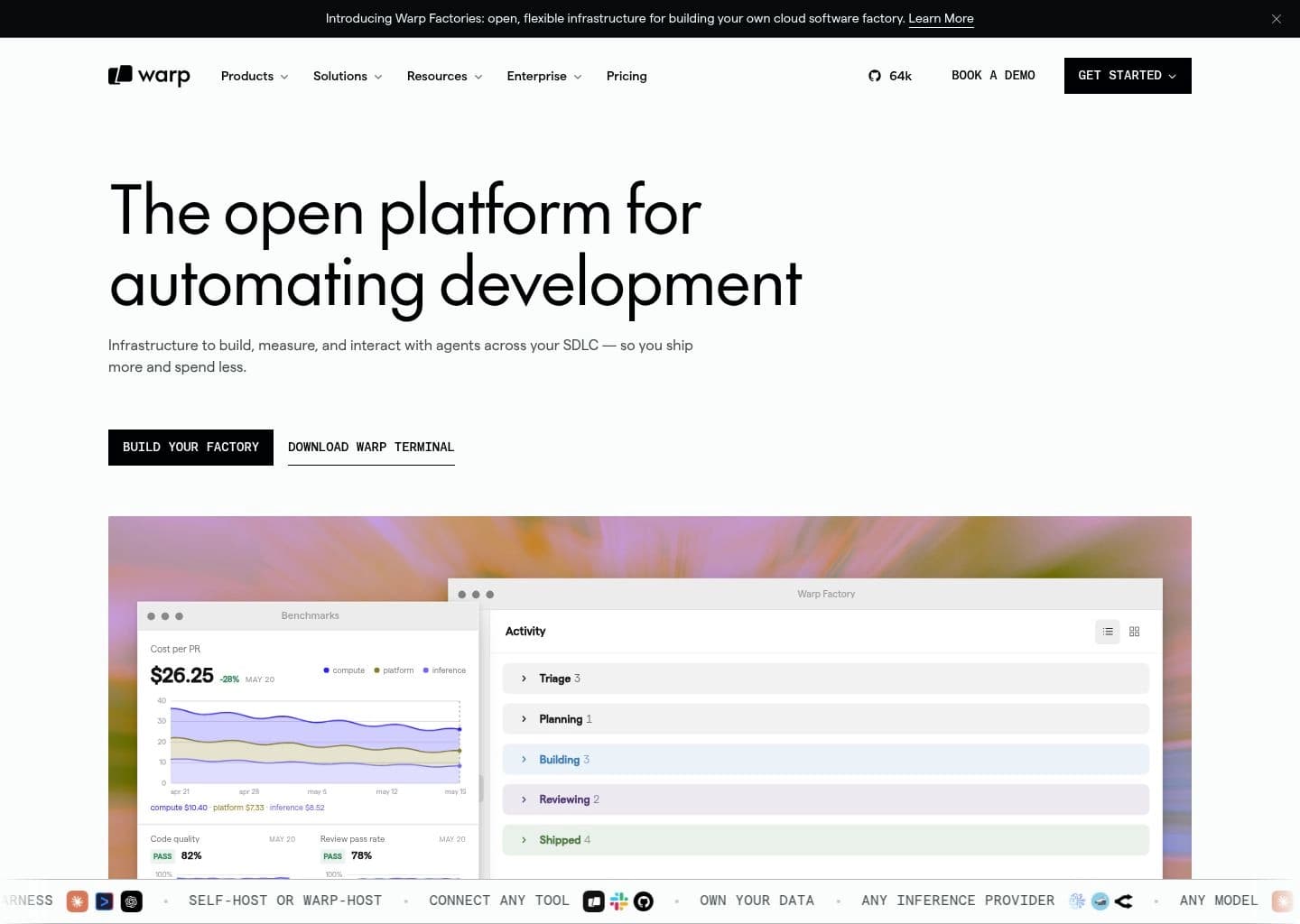
Modern Rust-based terminal with integrated AI command generation, Warp Drive workflows, and agentic debugging.

warp.app — Workspace Preview
Verified UI
Warp AI Developer Tool Workspace UI Preview
Official interface snapshot of Warp for developers2026 Edition

Warp reimagines the terminal for the modern developer era. Written in Rust for blazingly fast 120 FPS GPU-accelerated rendering, Warp treats terminal I/O as discrete command blocks rather than a raw streaming tty buffer.

With Warp AI, developers can query natural language to generate complex shell pipelines (awk, sed, docker, kubectl, git), explain cryptic terminal errors, and run multi-step terminal agents autonomously.

Key Features & Technical Strengths

Block-Based Terminal Architecture: Easily copy outputs, share commands, and inspect exit codes for every terminal execution.
Warp AI Command Search: Convert plain English prompts into accurate shell and CLI commands with instant parameter substitution.
Warp Drive Team Sharing: Save and collaborate on parameterized shell playbooks and internal operational runbooks across your team.
Agentic Error Auto-Debugging: Click "Fix with AI" on any non-zero exit code to automatically diagnose the stack trace.
Best For

DevOps engineers, cloud practitioners, and backend developers who spend significant time in command-line environments and Kubernetes/Docker.

Limitations & When Not To Use

Developers who prefer minimalist minimal-overhead CLI terminals like Alacritty or st without cloud synchronization.

Supported Environments:Desktop Terminal App for macOS, Linux, and Windows.
Context Window:Terminal Command History + Active Shell Output buffer.
Privacy & Telemetry:Zero Data Retention policy; terminal command I/O is never used to train foundation models.
Free Tier: Free for individual developers with up to 100 AI queries per month.
Pro Tier: $15/month ($12/mo billed annually) — Unlimited Warp AI queries, custom themes, and team sharing.
#14
Lovable

Lovable

Full-Stack App GeneratorFreemium ($20/mo Starter)

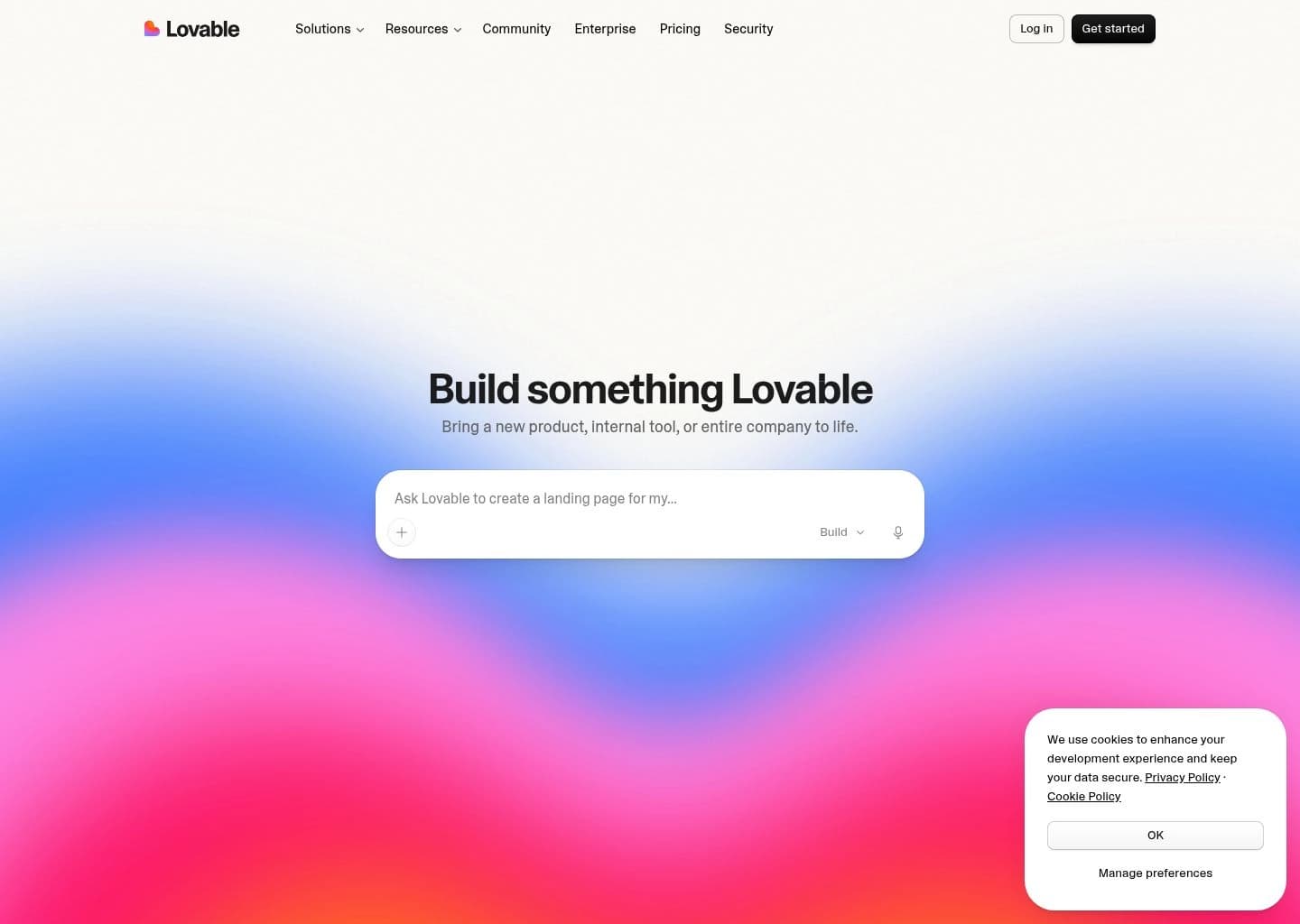
The AI engineer that builds complete full-stack web applications with Supabase database sync and GitHub export.

lovable.app — Workspace Preview
Verified UI
Lovable AI Developer Tool Workspace UI Preview
Official interface snapshot of Lovable for developers2026 Edition

Lovable (formerly GPT Engineer) is an advanced full-stack AI web application builder. It allows developers and founders to describe complex web applications and automatically generates clean, modern React, Tailwind, and Supabase codebases.

Lovable automatically provisions database tables, sets up authentication flows, configures API routes, and syncs code bi-directionally with GitHub, allowing teams to develop production applications with unprecedented velocity.

Key Features & Technical Strengths

Complete Full-Stack Scaffolding: Builds responsive React frontends coupled with automated Supabase PostgreSQL database schemas.
Bi-Directional GitHub Synchronization: Code changes in Lovable push to GitHub, and manual PRs in GitHub reflect back into Lovable.
Native Authentication & DB Integration: Automatically configures login/signup flows, Row-Level Security (RLS), and database tables.
Visual Canvas Editing: Click on any UI element to request localized styling, copy, or behavior tweaks.
Best For

Founders, indie hackers, and software engineers looking to build scalable full-stack SaaS apps and prototypes in hours rather than weeks.

Limitations & When Not To Use

Monolithic legacy enterprise systems requiring custom on-prem hardware drivers or specialized mainframe integrations.

Supported Environments:Web Application with direct GitHub repository integration.
Context Window:Full-Stack Application Architecture & Supabase Schema.
Privacy & Telemetry:Enterprise data protections with private GitHub repository synchronization.
Free Tier: Free tier with starter credits to explore and build initial project sandboxes.
Pro Tier: $20/month (Starter) to $50/month (Scale) — Unlocks private projects, custom domains, and increased monthly message credits.
#15
Qodo (formerly CodiumAI)

Qodo (formerly CodiumAI)

Code Integrity & Test GenFreemium ($19/dev/mo)

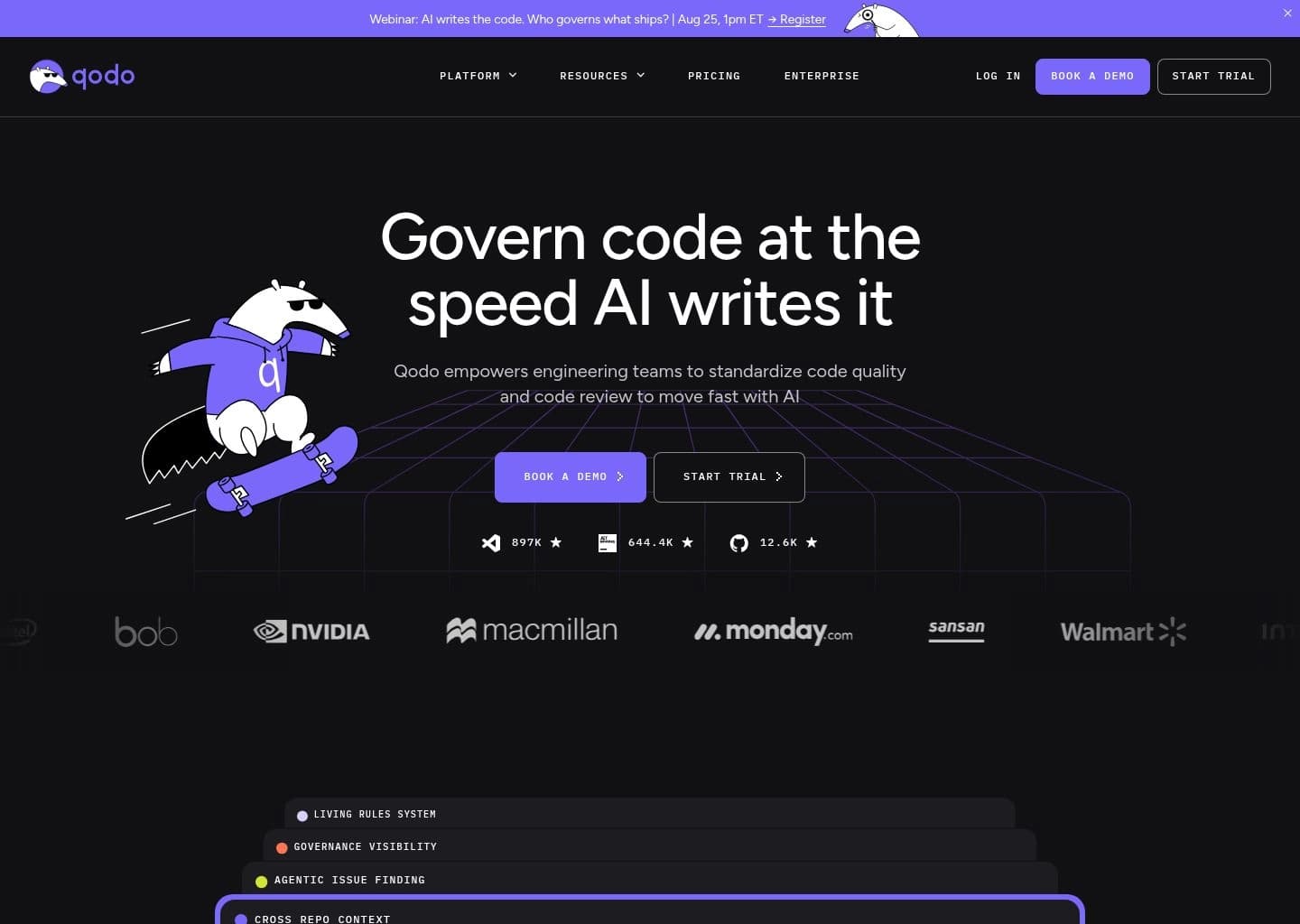
Code integrity platform specializing in automated unit test generation, PR-Agent review, and codebase verification.

qodo.app — Workspace Preview
Verified UI
Qodo (formerly CodiumAI) AI Developer Tool Workspace UI Preview
Official interface snapshot of Qodo (formerly CodiumAI) for developers2026 Edition

Qodo (formerly CodiumAI) focuses on code integrity, test generation, and pull request intelligence. Rather than simply generating more unverified lines of code, Qodo is engineered to ensure software actually functions correctly and safely.

Through its IDE extension and open-source PR-Agent, Qodo generates comprehensive unit tests, integration suites, edge case scenarios, and architectural risk assessments before code merges into production.

Key Features & Technical Strengths

Automated Unit Test Generation: Analyzes function logic to generate robust test suites covering happy paths, edge cases, and failure modes.
PR-Agent for Git Repositories: Automated PR reviews, changelog generation, and security reviews for GitHub, GitLab, and Bitbucket.
Test-Driven Development (TDD) Assistant: Generates meaningful behavioral tests before implementation to guide development.
Code Quality & Behavior Analysis: Explains subtle logic flaws and unintended side effects across complex algorithms.
Best For

Software engineering teams striving for high test coverage, strict code reliability, and automated pull request governance.

Limitations & When Not To Use

Developers seeking an autonomous terminal agent to execute shell scripts or scaffolding tools for rapid UI prototyping.

Supported Environments:VS Code, JetBrains IDEs (IntelliJ, WebStorm, PyCharm), GitHub, GitLab, and Bitbucket.
Context Window:Function AST Hierarchy & Repository Unit Test Harness.
Privacy & Telemetry:SOC2 compliant; zero code training on private enterprise codebases.
Free Tier: Free tier for individual developers with unlimited basic test generation and IDE assistance.
Pro Tier: $19/developer/month — Unlocks advanced PR-Agent capabilities, team collaboration, and enhanced test generation.
#16
Mintlify

Mintlify

AI Documentation EngineFreemium ($120/mo Startup)

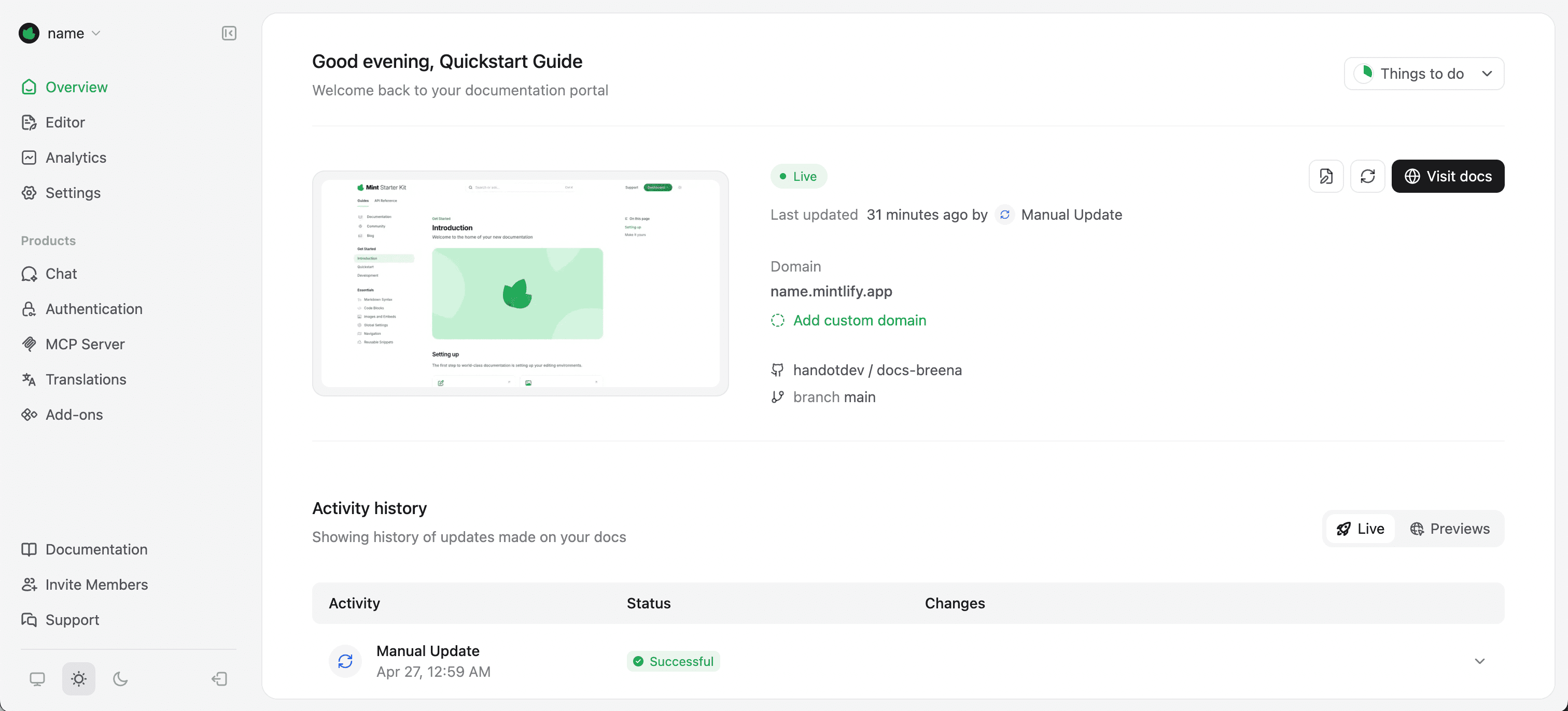
Modern AI-powered documentation engine that turns codebases into beautiful, interactive API docs automatically.

mintlify.app — Workspace Preview
Verified UI
Mintlify AI Developer Tool Workspace UI Preview
Official interface snapshot of Mintlify for developers2026 Edition

Mintlify transforms how software engineering teams build and maintain technical documentation. It pairs an AI-native writer extension that documents code functions in one click with a modern, high-performance web documentation framework.

Mintlify automatically synchronizes with your git repository, continuously reading OpenAPI/Swagger specifications, TypeScript interfaces, and docstrings to keep technical documentation perpetually up to date with zero drift.

Key Features & Technical Strengths

AI Doc Writer Extension: Highlight any function or class in VS Code/JetBrains to generate comprehensive docstrings in seconds.

Git-Backed Documentation Framework: Host MDX-powered documentation directly from your GitHub repository with automatic deployments.
Interactive API Playground: Built-in API console allowing developers to test endpoints with live parameters directly on the page.
AI Documentation Search & Assistant: Ingests docs to provide instant, contextual answers to developer queries with code examples.
Best For

Developer tool companies, open-source maintainers, and API providers who want world-class documentation with minimal manual upkeep.

Limitations & When Not To Use

Developers looking for an inline code completion assistant to write application logic inside an IDE.

Supported Environments:VS Code Extension, JetBrains Extension, Web Hosting Platform with GitHub sync.
Context Window:OpenAPI Specification, Repository MDX Files & Codebase Docstrings.
Privacy & Telemetry:SOC2 Type II certified; enterprise data privacy and custom domain security.
Free Tier: Free tier available with open-source hosting and basic doc writer extension.
Pro Tier: $120/month (Startup) — Custom domains, analytics, search indexing, and automated API playground.

All Evaluated Developer AI Tools (97)

Filter tools by developer workflow phase or pricing model.

Pricing:
Freemium
Cursor

Cursor

AI-native code editor with autonomous agents for building software

Not yet rated
Paid
Claude Code

Claude Code

Anthropic's agentic coding tool that lives in your terminal

Not yet rated
Freemium
Supermaven

Supermaven

The fastest AI copilot with a 1 million token context window

Not yet rated
Freemium
Codeium

Codeium

The free AI code completion and chat superpower — now Windsurf

Not yet rated
Freemium
Bolt.new

Bolt.new

Build and deploy full-stack apps by chatting with AI — in your browser

Not yet rated
Freemium
v0 by Vercel

v0 by Vercel

Prompt. Build. Publish — AI full-stack app builder by Vercel

Not yet rated
Enterprise
Sourcegraph Cody

Sourcegraph Cody

AI coding assistant with deep context across your entire codebase

Not yet rated
Freemium
CodeRabbit

CodeRabbit

The AI control layer for code review, triage, explainability, and security

Not yet rated
Freemium
Qodo

Qodo

Govern code at the speed AI writes it — quality review for the agent era

Not yet rated
Freemium
Devv AI

Devv AI

The AI coding agent for indie builders — ship full-stack AI products fast

Not yet rated
Freemium
Warp

Warp

The open platform for automating development — terminal, agent CLI, and cloud factories

Not yet rated
Freemium
Lovable

Lovable

Build apps, websites, and products with AI — the vibe coding platform

Not yet rated
Free
Aider

Aider

Free, open-source AI pair programming that lives in your terminal

Not yet rated
Freemium
Nabla

Nabla

Ambient AI that turns patient visits into clinical notes, dictation, and coding — right inside the EHR

4.8
Freemium
Capacities

Capacities

Organize your ideas as connected objects, not files.

Not yet rated
Freemium
Parabola

Parabola

Automate messy data workflows without code.

Not yet rated
Freemium
Gumloop

Gumloop

The no-code platform to build and host AI-powered business automations.

Not yet rated
Freemium
Mixmax

Mixmax

AI-powered sales engagement platform inside your inbox.

Not yet rated
Freemium
Windsurf (Devin Desktop)

Windsurf (Devin Desktop)

The AI-native code editor from Codeium, now Devin Desktop by Cognition AI

Not yet rated
Freemium
ChatGPT

ChatGPT

Engage in dynamic conversations, debug code, and generate creative content with advanced AI.

Not yet rated
Freemium
Leonardo.Ai

Leonardo.Ai

Generative AI platform for images, art, and video creation

Not yet rated
Freemium
Adobe Firefly

Adobe Firefly

Unleash creativity with generative AI for images, video, audio, and more.

Not yet rated
Free
Cline

Cline

Open-source AI coding agent — any model, your keys, full control

Not yet rated
Freemium
Remini

Remini

Transform low-quality photos and videos into stunning HD masterpieces with AI.

Not yet rated
Freemium
Loom AI

Loom AI

Record, enhance, and transform video messages with intelligent AI automation.

Not yet rated
Freemium
D-ID

D-ID

Create AI-powered videos and interactive visual AI agents

Not yet rated
Paid
Replicate

Replicate

Run, fine-tune, and deploy AI models with one line of code

Not yet rated
Freemium
Krikey AI

Krikey AI

Generate professional 3D animations and talking avatars from text or video in minutes.

Not yet rated
Freemium
Zed

Zed

A minimal, GPU-accelerated code editor built for speed and AI collaboration

Not yet rated
Freemium
Runway

Runway

The complete AI creative toolkit for video, image, and audio generation.

Not yet rated
Freemium
Steve AI

Steve AI

Transform text, audio, or prompts into professional AI videos.

Not yet rated
Freemium
Ideogram 4.0

Ideogram 4.0

Advanced AI image generation with unparalleled text, editing, and brand consistency.

Not yet rated
Freemium
Replit

Replit

Build and deploy full-stack apps with AI, no setup required

Not yet rated
Paid
Augment Code

Augment Code

AI coding agent with deep Context Engine for large enterprise codebases

Not yet rated
Freemium
Fiscal.ai (formerly FinChat)

Fiscal.ai (formerly FinChat)

AI-powered investment research terminal for global equities, formerly FinChat

Not yet rated
Freemium
Async

Async

Record, edit, and generate podcasts and videos in one AI-powered creative studio

Not yet rated
Freemium
ElevenLabs

ElevenLabs

Lifelike AI voices, agents, and audio for creators and developers

Not yet rated
Freemium
Picsart

Picsart

The AI creative platform for 130M+ creators. Turn any idea into scroll-stopping content.

Not yet rated
Freemium
Descript

Descript

Edit video and podcasts as easily as editing a text document

Not yet rated
Freemium
Amp

Amp

Multi-model AI coding agent — free tier, no token caps, Librarian codebase search

Not yet rated
Freemium
Kling AI

Kling AI

Next-generation AI creative studio for imaginative images and videos.

Not yet rated
Paid
Photo AI

Photo AI

Generate photorealistic AI images and videos of people, replacing traditional photoshoots.

Not yet rated
Freemium
DeepMotion

DeepMotion

Generate 3D animations from video in seconds with AI motion capture.

Not yet rated
Freemium
Move AI

Move AI

AI-powered markerless motion capture for high-fidelity 3D animation.

Not yet rated
Freemium
VanceAI

VanceAI

Transform and enhance images & videos with AI-powered editing and generation tools.

Not yet rated
Freemium
HeyGen

HeyGen

Transform ideas into stunning AI videos with realistic avatars and multi-language support.

Not yet rated
Freemium
Auphonic

Auphonic

Your AI sound engineer for podcasts, video, and broadcast audio

Not yet rated
Freemium
Trae

Trae

ByteDance's free AI IDE — frontier models, SOLO agentic mode, VS Code compatible

Not yet rated
Freemium
Refact.ai

Refact.ai

Open-source AI coding agent — self-hosted, fine-tuned on your codebase, #1 SWE-bench

Not yet rated
Freemium
JetBrains AI Assistant

JetBrains AI Assistant

AI coding assistance built natively into every JetBrains IDE

Not yet rated
Paid
OpenAI API

OpenAI API

Developer platform for GPT models, AI agents, and real-time voice

Not yet rated
Freemium
Botpress

Botpress

Build and deploy LLM-powered AI agents and chatbots with a visual studio and full code control

Not yet rated
Freemium
Powtoon

Powtoon

Easily create professional AI-powered videos and presentations for business impact.

Not yet rated
Freemium
Morphed AI

Morphed AI

Generate stunning AI images and videos from text with 100+ models.

Not yet rated
Freemium
Mistral AI

Mistral AI

Frontier open-weight AI models and the Vibe agent for work and code

Not yet rated
Freemium
GitHub Copilot

GitHub Copilot

AI pair programmer for code completion, chat, and autonomous coding agents

Not yet rated
Paid
Tabnine

Tabnine

The original AI code assistant — private, secure, and built for the enterprise

Not yet rated
Freemium
Amazon Q Developer

Amazon Q Developer

AWS's AI coding assistant — deprecated in favor of Kiro (EOS April 2027)

Not yet rated
Freemium
OpenAI Codex

OpenAI Codex

OpenAI's autonomous coding agent for pull requests, refactors, and reviews

Not yet rated
Freemium
Mintlify

Mintlify

Self-updating documentation for startups, enterprises, and AI agents

Not yet rated
Paid
Pieces for Developers

Pieces for Developers

The AI memory layer that knows your work — across every tool you use

Not yet rated
Freemium
OpenHands

OpenHands

The open platform for cloud coding agents — autonomous, transparent, and in your control

Not yet rated
Free
Shopify Sidekick

Shopify Sidekick

Shopify's free, built-in AI commerce assistant that chats, automates, and takes action in your store

Not yet rated
Freemium
Junie

Junie

JetBrains' AI coding agent — #1 on SWE-Rebench, plans before it codes

Not yet rated
Free
Plandex

Plandex

Terminal AI coding agent for large tasks — diff sandbox, plan branching, 2M context

Not yet rated
Freemium
Google Antigravity

Google Antigravity

Google's agentic AI IDE and CLI — Gemini 3, scheduled tasks, free during preview

Not yet rated
Freemium
InVideo AI

InVideo AI

Prompt-to-video AI platform — create marketing promos, YouTube videos, and faceless content from text

Not yet rated
Freemium
CapCut

CapCut

Free AI video editing suite with auto-captions, effects, and TikTok-optimized templates

Not yet rated
Freemium
Clay

Clay

100+ provider data waterfall, Claygent AI research, and hyper-personalized outreach at scale

Not yet rated
Enterprise
Mutiny

Mutiny

No-code AI website personalization for B2B — show each visitor the right message without engineering

Not yet rated
Custom
Forter

Forter

AI-powered identity intelligence for fraud, abuse, and payment decisions in digital commerce

Not yet rated
Freemium
Figma AI

Figma AI

The industry-standard design platform — now with AI that designs, prototypes, and codes alongside your team

Not yet rated
Freemium
Framer AI

Framer AI

AI website builder that goes from prompt to live published site in minutes — no code, no separate hosting

Not yet rated
Free
Google Stitch

Google Stitch

Google's AI UI generator — describe any app screen and get a complete multi-screen UI with code in seconds

Not yet rated
Freemium
Pika

Pika

The idea-to-video platform that sets your creativity in motion.

Not yet rated
Freemium
Synthesia

Synthesia

Create AI-generated videos from text with advanced avatars and voiceovers.

Not yet rated
Freemium
Colossyan Creator

Colossyan Creator

Create professional AI videos with real actors in minutes.

Not yet rated
Freemium
Unreal Speech

Unreal Speech

The cheapest, fastest text-to-speech API for developers

Not yet rated
Freemium
Riverside

Riverside

Studio-quality podcast and video recording, editing, and publishing powered by AI

Not yet rated
Freemium
Soundverse

Soundverse

Music, video, and voice generated from a prompt, directed by Agent One

Not yet rated
Freemium
Landbot

Landbot

No-code AI agent and chatbot builder for websites and WhatsApp

Not yet rated
Paid
Bannerbear

Bannerbear

Automated API and no-code tool for generating ad graphics, social images, and videos at scale

Not yet rated
Freemium
Opus Clip

Opus Clip

Generative AI video repurposer — turn long videos into viral short clips for TikTok, Reels, and Shorts

Not yet rated
Freemium
Veed.io

Veed.io

Online AI video editor with auto subtitles, templates, avatars, and full browser-based production

Not yet rated
Freemium
Buffer

Buffer

Social media scheduler with AI Assistant for caption generation, idea creation, and optimal posting times

Not yet rated
Freemium
Kiro

Kiro

Spec-driven agentic IDE by AWS — build what you mean, not just what you say

Not yet rated
Freemium
Sweep AI

Sweep AI

The fastest AI coding assistant built for JetBrains — Tab, Agent, Review

Not yet rated
Freemium
Devin

Devin

Autonomous AI software engineer that plans, codes, and ships end-to-end

Not yet rated
Enterprise
Wiz

Wiz

Agentless cloud security that connects code, cloud, and runtime into one graph

Not yet rated
Custom
ChatFin

ChatFin

AI agents that run finance operations end-to-end, natively inside your ERP

Not yet rated
Freemium
Pixelcut

Pixelcut

AI photo and video editor for background removal and product visuals

Not yet rated
Freemium
Neural.love

Neural.love

AI tools for video, images, and editing — generate, enhance, and restore in your browser

Not yet rated
Freemium
Ludo.ai

Ludo.ai

AI-generated production-ready game assets: sprites, 3D models, audio, and video

Not yet rated
Freemium
Scenario

Scenario

Train custom AI models on your art style and generate on-brand assets across image, video, 3D, and audio

Not yet rated
Paid
Looka

Looka

AI logo maker and brand kit generator — get a complete visual identity in minutes, not days

Not yet rated
Freemium
Botika

Botika

AI fashion models that turn flat lays into on-model photos and videos

Not yet rated
Freemium
Predis.ai

Predis.ai

Text-to-social post, video reels, and carousel ad generator with built-in scheduling

Not yet rated

Explore Related Developer Categories & Comparison Hubs

Deepen your research with dedicated subcategory guides and side-by-side technical comparisons.

How to Choose the Right AI Developer Tool in 2026

As artificial intelligence tools evolve from basic single-line autocomplete into fully autonomous repository agents, choosing the right developer AI stack in 2026 requires evaluating context window efficiency, latency, IDE integration, and enterprise privacy guarantees.

1. AI-Native IDEs vs. Traditional IDE Extensions

In earlier years, AI developer tools were simple autocompletion plugins embedded in standard IDEs. In 2026, AI-native IDEs like Cursor and Windsurf rewrite the development experience by integrating multi-file context indexing directly into the editor. If you frequently refactor complex, multi-package architectures, an AI-native editor provides vastly superior project-wide coherence compared to traditional single-line completion plugins.

2. Terminal Agents vs. Inline Suggestions

While inline autocomplete helps accelerate routine boilerplate, autonomous CLI agents like Claude Code and Aider excel at complex task execution. They can read error logs, generate reproduction scripts, execute test suites, analyze compiler output, and create git commits autonomously. High-velocity engineering teams commonly combine an ultra-fast inline completer (such as Supermaven) with a dedicated terminal agent for multi-step tasks.

3. Token Efficiency, Latency, and Context Windows

Context window capacity and latency determine how natural an AI tool feels. Supermaven operates with sub-50ms latency across 1 million tokens, making completions appear instantaneously. For enterprise codebases with hundreds of thousands of lines of code, tools like Sourcegraph Cody utilize proprietary context engines and code graphs to feed only relevant symbols into the prompt, minimizing token waste.

4. Enterprise Privacy, Telemetry, and Zero Data Retention (ZDR)

For proprietary codebases and regulated industries, data governance is paramount. Always verify that your chosen tool offers Zero Data Retention (ZDR) and guarantees that your code is never used for foundation model training. Open-source tools like Aider provide full transparency, allowing you to connect directly to private LLM endpoints (via Ollama or vLLM) with zero telemetry leaving your infrastructure.

Frequently Asked Questions About AI Developer Tools

Common questions on pricing, privacy, context windows, and tool comparisons.

There is no single one-size-fits-all tool; rather, leading software engineers use a combination of tools suited for different development phases: Cursor is the top AI-native editor for everyday codebase refactoring; Claude Code is the leading terminal agent for complex multi-file engineering; Supermaven is the fastest inline code completer with a 1M token window; and Bolt.new / v0 by Vercel lead for rapid full-stack and UI prototyping.

About the Author & Research Lead

Hamza Khaliq
Hamza Khaliq

Founder & Editor-in-Chief, AICentralResources

View Profile & Research

Hamza is the founder of AICentralResources, a hand-reviewed AI tools directory and benchmarking index. As a full-stack software engineer and AI researcher, he has personally evaluated dozens of coding copilots, AI IDEs, and autonomous terminal agents for latency, multi-file context comprehension, and zero-retention privacy governance. This guide reflects continuous hands-on developer testing.

AI Tool Researcher Verified Reviewer 30+ Developer Tools Benchmarked