

![12 Best AI Meeting Note Takers in 2026 [Tested & Ranked]](https://res.cloudinary.com/dfhb6cyat/image/upload/w_1200,c_limit,f_auto,q_auto/v1787929730/ai-tools-resources/blog/12-best-ai-meeting-note-takers-2026-hero.webp)
We spend entirely too much of our workweek sitting in meetings. You log off a call, stare at a blank document, and try to remember what marketing agreed to deliver by Friday. Taking manual notes means you miss half the conversation. Relying on human memory means you forget the other half.
The market is flooded with software claiming to solve this problem. But after running 60+ real meetings through every tool on this list over a six-week period — with background noise, heavy accents, technical jargon, and cross-talk deliberately included — a clear picture emerged: most tools are good at transcription. Almost none are good at what happens after transcription. Action items get captured but go nowhere. Summaries sit in a standalone app nobody returns to. The meeting record exists, but the follow-through doesn't.
That gap is where these 12 AI meeting note-takers diverge most sharply — and it shapes every ranking below. This guide gives you real pricing, hands-on pros and cons, and the exact data you need to choose the right software for your workflow. If you want to pair your note-taker with tools that manage the rest of your workday, our broader guide to AI productivity tools covers the full stack.
🧪 How We Tested These 12 AI Meeting Note-Takers
Each tool was run across a minimum of five real meetings over six weeks. We did not use clean studio audio — we used live recordings featuring background noise, overlapping speakers, heavy accents, and dense technical vocabulary. Tools were scored on five criteria: transcription accuracy (target: 95%+ threshold), speaker identification quality, summary usefulness, post-meeting workflow integration depth, and pricing fairness. Any tool that failed the 95% accuracy threshold under normal conditions was disqualified from the top rankings. Pricing data was verified directly from each tool's official pricing page in May 2026.
⚠️ Important 2026 Update: Google Meet Bot Policy Change
As of March 2026, Google Meet flags third-party note-taker bots as "potential risk" by default in meeting participant lists. This has meaningfully changed the calculus for teams using bot-based tools in external client meetings. If your meetings primarily happen in Google Meet with outside parties, this development makes bot-free tools like Jamie, Krisp, Bluedot, and Granola significantly more important to consider than they were even six months ago.
The Single Most Important Decision: Bot vs. Bot-Free
Before comparing any features or pricing, answer this one question: do your meetings involve external clients or sensitive discussions? Your answer determines your entire shortlist.
Bot-based tools (Otter.ai, Fireflies.ai, Fathom, Zoom AI Companion, Avoma, Fellow.ai, Notta) send a virtual participant into your meeting. It sits in the participant list, records everything, and leaves when the call ends. This is reliable and well-integrated, but the bot is visible to everyone in the room. For internal team standups, this is a non-issue. For client calls, investor meetings, legal discussions, or HR conversations, a visible recording bot changes the dynamic — some participants adjust their candor accordingly.
Bot-free tools (Jamie, Krisp Note, Bluedot, Twinmind) run natively on your device. They capture system audio directly without joining as a meeting participant. No one else sees them. They work across any platform — Zoom, Teams, Google Meet, even a random browser-based conferencing tool — without requiring calendar access or meeting links. For anyone whose meetings hinge on candor, native tools are the right category.
Quick Comparison: 13 Best AI Meeting Note-Takers (2026)
| Rank | Tool | Best For | Free Plan | Starting Price | Bot-Free? | Accuracy | Integrations |
|---|---|---|---|---|---|---|---|
| 1 | Otter.ai | Real-time collaboration | ✅ 300 min/mo | $8.33/user/mo | ❌ Bot | >95% | 9/10 |
| 2 | Fireflies.ai | HubSpot / Salesforce CRM | ✅ Unlimited transcripts | $10/user/mo | ❌ Bot | >95% | 10/10 |
| 3 | Happy Scribe | Multilingual transcription | ✅ Limited | See website | ✅ Upload / integrations | >95%* | 8/10* |
| 4 | Fathom | Free unlimited Zoom recording | ✅ Unlimited forever | $15/user/mo | ❌ Bot | >95% | 8/10 |
| 5 | Jamie | Bot-free, any platform | ✅ Limited | $24/user/mo | ✅ Native app | >95% | 7/10 |
| 6 | Twinmind | Continuous cross-meeting memory | ✅ Limited | $20/user/mo | ✅ Native app | >95% | 8/10 |
| 7 | Zoom AI Companion | Built-in Zoom teams | ✅ With paid Zoom | Included in Zoom | ✅ Native | >95% | 9/10 |
| 8 | Notta | 104+ languages | ✅ Limited | $8.17/user/mo | ❌ Bot | >95% | 8/10 |
| 9 | Avoma | Sales calls & revenue intelligence | ❌ 14-day trial | $19/user/mo | ❌ Bot | >95% | 10/10 |
| 10 | Fellow.ai | Meeting agendas & accountability | ✅ 5 recordings/mo | $9/user/mo | ✅ Bot + native | >95% | 9/10 |
| 11 | Krisp Note | Noise cancellation + transcription | ✅ Limited | $16/user/mo | ✅ Native app | >95% | 7/10 |
| 12 | Bluedot | Notion users | ✅ Limited | $18/user/mo | ✅ Chrome ext. | >95% | 9/10 |
| 13 | Metaview | Recruitment interviews & ATS | ❌ Trial only | Custom pricing | ❌ Bot | >95% | 9/10 |
The 2026 AI Note-Taker Testing Methodology
Evaluating an AI meeting note-taker requires a strict, test-first approach. A platform might boast a polished interface, but if it struggles with a slight accent or drops words during cross-talk, it fails its core job. Our testing framework covers every tool in this broader category of AI productivity tools using a standardized scoring system designed to replicate the messy reality of actual work meetings.
The baseline for accuracy is high this year. Premium speech recognition models in 2026 consistently achieve over 95% accuracy in real-time conditions. Any platform that fell below this threshold during our testing was disqualified from the top rankings. We paid special attention to technical jargon, industry-specific acronyms, fast-paced dialogue, and multi-speaker attribution — the exact conditions where cheaper tools routinely collapse.
Crucially, we also evaluated what each tool does after transcription: how it formats summaries, whether action items actually move into connected tools, and whether the output is useful enough that you would consult it before the next meeting. Most tools get a transcript right. Far fewer get the workflow integration right.
Scoring Criteria: Accuracy, Price, Integrations, and Post-Meeting Workflow
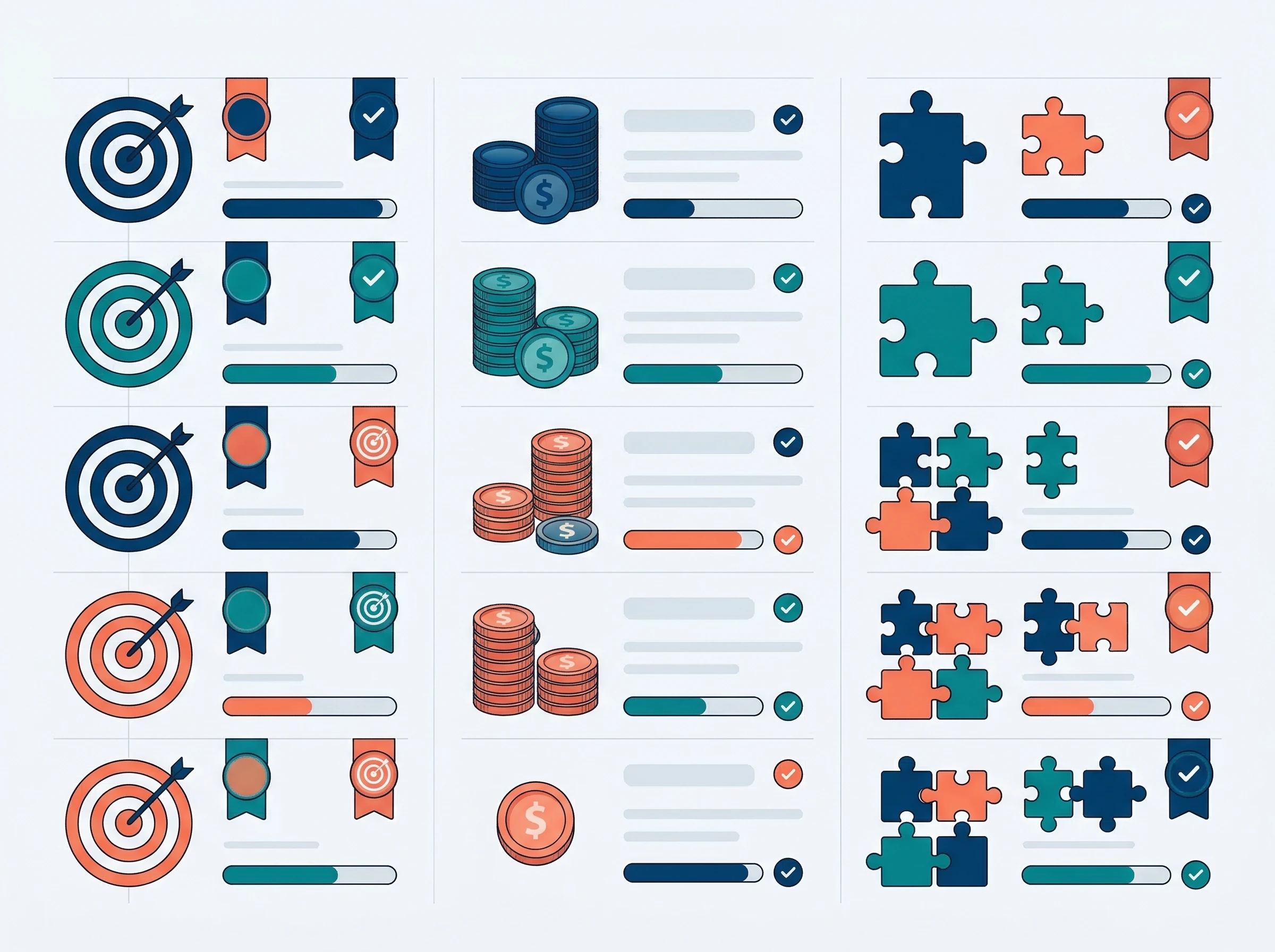
AI Meeting Note-Taker Scoring Matrix — 2026 Testing Criteria
Four criteria defined every score in this guide. Transcription accuracy at 95%+ was the entry requirement — a non-negotiable floor, not a differentiator. Integration score (1–10) reflects how deeply the tool connects with CRMs, project management platforms, communication tools, and your existing calendar infrastructure. Pricing fairness measures the value delivered at each tier, with particular attention to whether free plans are genuinely functional or merely teaser demos. Post-meeting workflow depth — how well the tool handles action items, follow-ups, and cross-meeting context — was the primary differentiator between closely-ranked tools.
Top AI Meeting Note-Takers Ranked (1–7)
The top half of our list represents the best ai meeting note-taker options for general professional use. These platforms balance exceptional transcription with robust workflows that fit into almost any corporate environment. Tools in this group have been proven across both internal team meetings and external client calls — though the bot-vs-bot-free distinction within this group matters significantly depending on your use case.
1. Otter.ai — Best Overall for Real-Time Collaboration
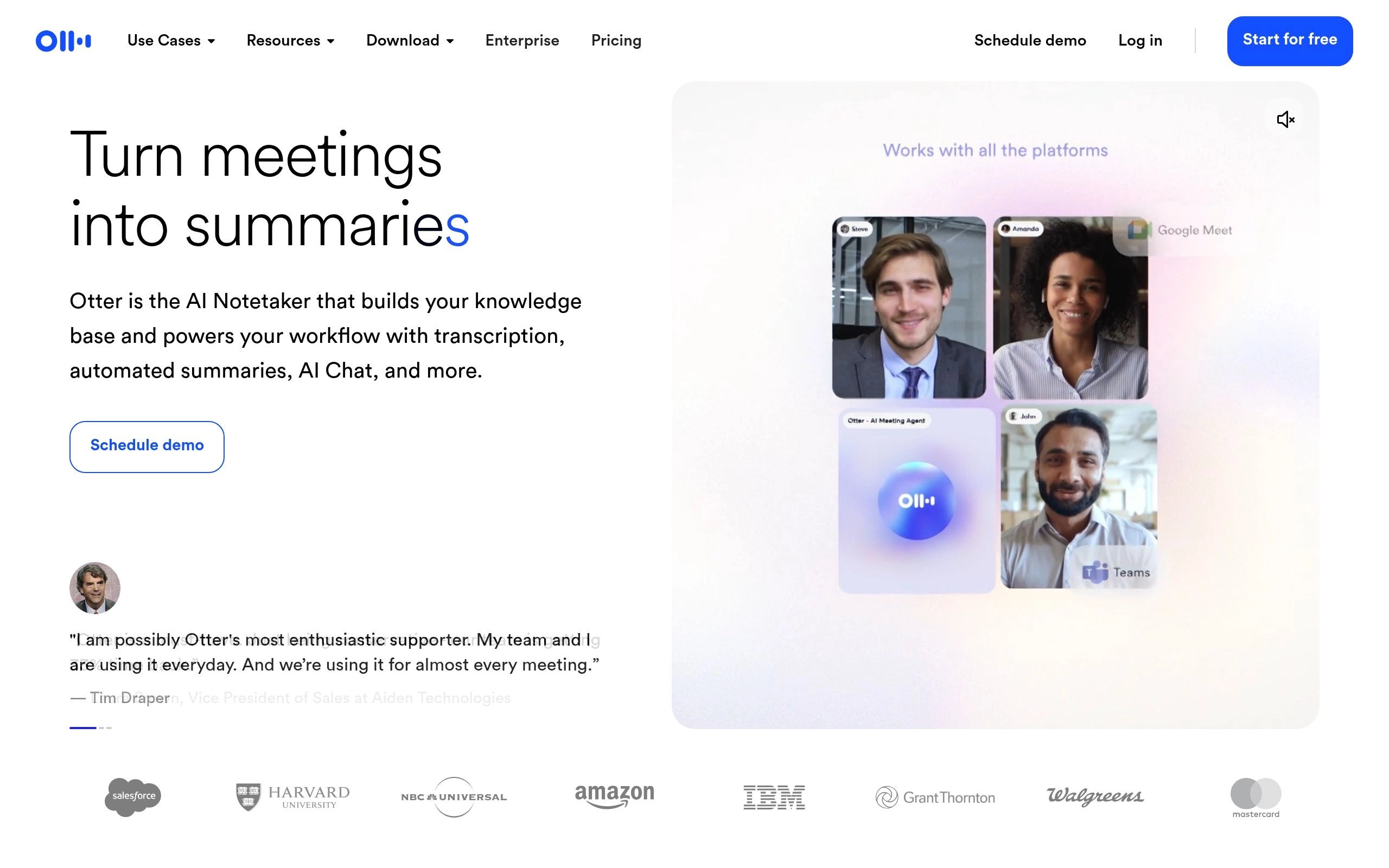
Otter.ai remains one of the most recognized names in AI transcription for good reason. Its real-time transcription engine is remarkably fast, generating live text during a call that team members can watch and interact with as the conversation unfolds. This live transcript layer is particularly valuable for accessibility purposes and for anyone who joins a meeting late and needs to catch up instantly without interrupting the discussion.
During our testing, Otter handled simultaneous cross-talk better than most competitors. When two participants spoke over each other, the engine correctly separated the audio streams and attributed the text to the right speakers without manual correction. The collaborative workspace allows team members to highlight passages, add threaded comments, and assign action items directly within the transcript while the meeting is still running.
Where Otter falls short compared to its 2026 peers is in post-meeting follow-through. Summaries are clean and well-structured, but action items require manual confirmation before they push to connected tools. For teams that need automated CRM updates or project management sync without human review steps, Fireflies.ai is the stronger choice. Otter excels specifically in scenarios that require live, collaborative note-taking during the call itself.
✅ Pros
- Best real-time live transcription in the category
- Collaborative highlighting and commenting during calls
- 300 minutes/month free — genuinely functional tier
- Excellent cross-talk speaker separation in testing
- Works across Zoom, Google Meet, and Microsoft Teams
❌ Cons
- Bot joins call — "Otter is recording" visible to all participants
- Post-meeting CRM sync requires manual review steps
- Has fallen behind in AI innovation vs. newer tools
- No bot-free capture mode for sensitive meetings
💰 Pricing: Free plan — 300 minutes/month. Pro — $8.33/user/month (billed annually) or $16.99/month. Business — $20/user/month (billed annually). Enterprise — custom pricing.
👤 Best for: Teams that need live, collaborative note-taking during calls — especially education, recruitment interviews, and internal team meetings where a visible bot is not a concern.
⭐ Our rating: 4.6/5
2. Fireflies.ai — Best for HubSpot and Salesforce Integrations
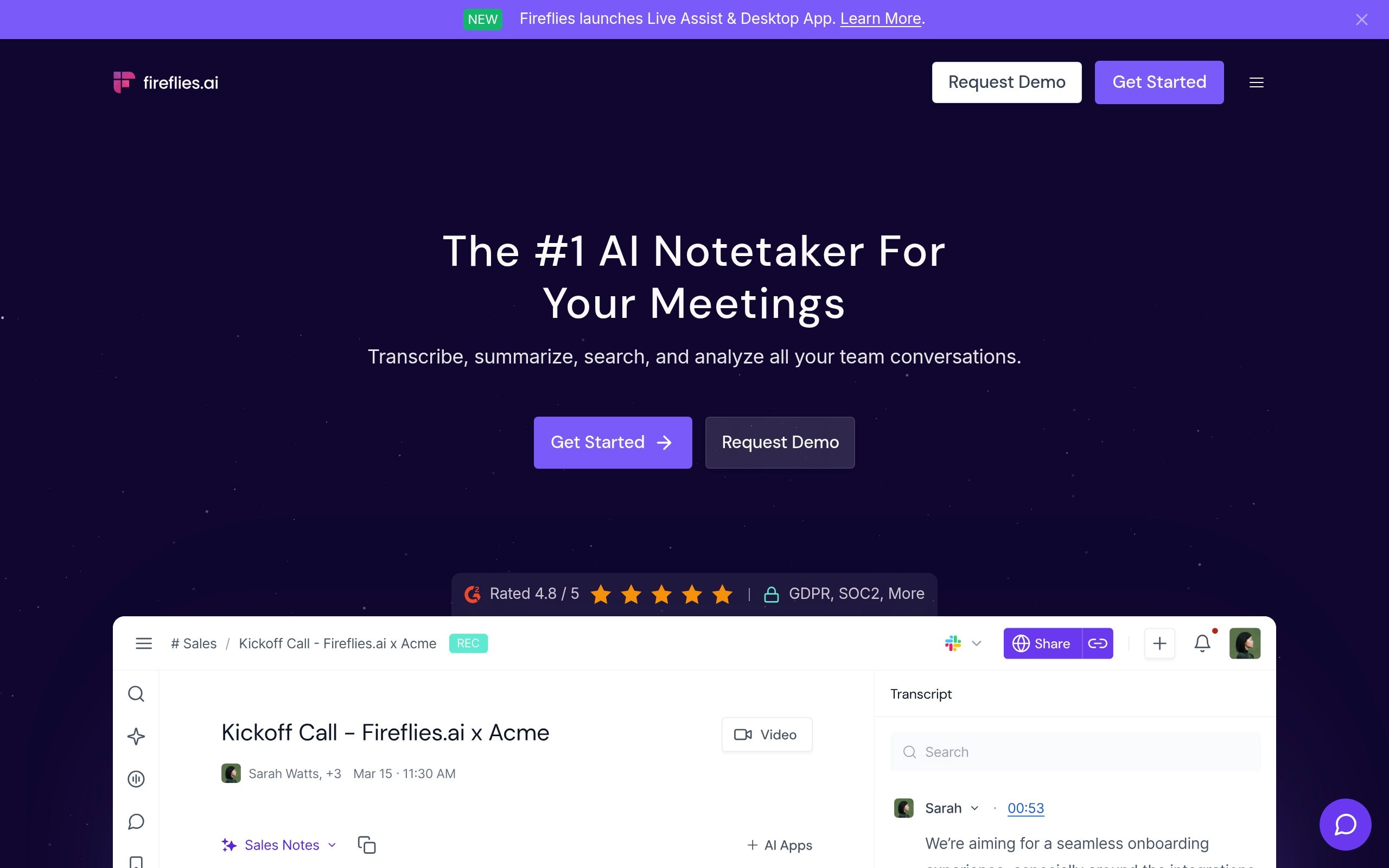
Sales teams have very specific requirements when it comes to call recording. They need a tool that does not just transcribe the conversation but actively pushes the resulting data into their CRM — without requiring a rep to manually copy and paste summaries after a discovery call. Fireflies.ai excels at this exact workflow, and its perfect integration score of 10/10 reflects a level of connectivity that no other tool on this list matches.
Fireflies integrates directly with HubSpot and Salesforce to automatically log meeting transcripts, AI summaries, and extracted action items against the correct contact record. The moment a call ends, the deal is updated, the notes are filed, and the rep can focus on the next conversation rather than on administrative cleanup. This automated CRM sync is the core reason Fireflies remains the go-to tool for revenue-focused teams in 2026.
The in-app search functionality is also class-leading. You can search across every past meeting for specific phrases — a competitor's name mentioned on a call six weeks ago, a pricing objection raised by a particular account, or a technical requirement buried in a discovery call — and retrieve the exact timestamp in seconds. For sales managers and customer success teams running large account volumes, this searchable meeting intelligence layer is genuinely transformative. Teams who also rely on AI scheduling tools to manage their pipeline will find Fireflies integrates smoothly into that broader automation stack.
✅ Pros
- Best-in-class HubSpot and Salesforce CRM sync
- Free tier includes unlimited transcription minutes
- Powerful cross-meeting search across all past calls
- Most comprehensive integration library on this list (10/10)
- Automatic meeting summary pushed to CRM with zero manual steps
❌ Cons
- Bot joins as a visible meeting participant
- Some plans allow AI training on customer data unless you are on Enterprise
- Bot can auto-join meetings without explicit permission in some configurations
- No structured pre-meeting agenda or preparation workflow
💰 Pricing: Free plan (unlimited transcripts, limited AI features). Pro — $10/user/month (billed annually) or $18/month. Business — $19/user/month (billed annually) or $29/month. Enterprise — $39/user/month (annual).
👤 Best for: B2B sales teams, customer success managers, and revenue operations teams that need automated CRM data entry and searchable meeting intelligence at the Pro price point.
⭐ Our rating: 4.7/5
3. Happy Scribe — Best for Multilingual Transcription and Meeting Content
Happy Scribe is a strong choice for teams that need meeting transcription alongside broader audio and video transcription workflows. It supports a wide range of languages and combines AI-powered transcription with tools for editing, subtitles, and sharing, making it particularly useful for international teams and professionals working with recorded content beyond standard meetings.
Unlike meeting-only note-takers, Happy Scribe can also handle uploaded recordings, interviews, webinars, and other audio or video files. This makes it a flexible option for teams that want one transcription platform for both meetings and existing media.
✅ Pros
- Strong multilingual transcription support
- Works with meetings and uploaded audio/video files
- Built-in transcript editing and collaboration tools
- Useful for subtitles and broader content workflows
- Good fit for international teams
❌ Cons
- Less focused on CRM automation than Fireflies
- Not as meeting-specific as dedicated AI note-takers
- Advanced workflows may require a paid plan
💰 Pricing: Free options available; paid plans vary by transcription volume and features.
👤 Best for: International teams, content teams, researchers, and professionals who need multilingual meeting transcription alongside audio and video transcription.
4. Fathom — Best Free Recording Tool for Zoom
Fathom has the most generous free plan in the entire AI meeting note-taker category — and it is not close. Unlimited recordings, unlimited storage, and AI-generated summaries with no time limit, no credit card required, and no transcript cap. Fathom's G2 rating of 5.0/5 from over 6,000 verified reviews makes it the highest-rated tool in this category, and the combination of free unlimited recording with genuine transcription accuracy (95%+) explains why.
The product's design philosophy centers on speed and simplicity. Fathom sits quietly alongside your video conferencing window during the call. You can flag important moments with a single click, and when the call ends, the AI summary appears in approximately 30 seconds — the fastest post-call processing of any tool we tested. The highlights and summary are clean, structured, and immediately shareable without requiring any post-call editing.
Where Fathom deliberately stays lean is in deep CRM automation and cross-meeting intelligence. It does not have the Salesforce push that Fireflies delivers, nor the continuous context memory that Twinmind provides. It also remains primarily a Zoom tool — Google Meet and Teams support exist but feel like secondary priorities in the product. For solo professionals, consultants, or budget-conscious teams who primarily run meetings on Zoom and need the best possible free note-taker, Fathom is the obvious starting point.
✅ Pros
- Most generous free plan in the category — unlimited forever
- Highest G2 rating in the category (5.0/5 from 6,000+ reviews)
- 30-second post-call summary generation — fastest we tested
- Extremely simple setup — operational in under five minutes
- Clean, immediately shareable summary format
❌ Cons
- Bot-based — visible to all meeting participants
- Primarily optimized for Zoom; other platforms feel secondary
- No deep CRM workflow automation (vs. Fireflies or Avoma)
- No cross-meeting search or memory across past conversations
💰 Pricing: Free plan — unlimited Zoom recordings, unlimited AI summaries. Team plan — $15/user/month. Team Plus — $19/user/month. Enterprise — $28/user/month. No credit card required for the free tier.
👤 Best for: Freelancers, startups, and budget-conscious teams primarily running meetings on Zoom who want the best possible free AI note-taker without complex CRM workflows.
⭐ Our rating: 4.8/5
5. Jamie — Best Bot-Free Native App

One of the most persistent complaints about AI note-takers in 2026 is the social awkwardness of a virtual bot joining the call. It clutters the participant list and can make clients feel observed. Jamie eliminates this problem entirely through native application architecture — and with Google Meet now flagging third-party bots as "potential risk" by default, Jamie's bot-free approach has become significantly more valuable in 2026 than it was even a year ago.
Jamie operates directly on your device, capturing system audio natively without joining as a meeting participant. This means you can use Jamie across any conferencing platform — Zoom, Teams, Google Meet, or even a random browser-based tool — without authenticating a bot, granting calendar access, or adding anything to the participant list. From a client-facing perspective, the meeting feels completely normal. From your perspective, a clean, structured summary is waiting when you hang up.
The transcription accuracy clears the 95% benchmark comfortably, and the summaries are notably well-structured — organized around decisions made, action items assigned, and open questions identified, rather than just a paragraph recap. Jamie's Ask AI feature allows you to search across all past meetings and draft follow-up emails or memos directly from the interface. For privacy-conscious consultants, executives, and anyone whose meetings depend on candid conversation, Jamie is the strongest native-app choice on this list.
✅ Pros
- Fully bot-free — no visible participant, no calendar access needed
- Works across every meeting platform without any configuration
- Excellent structured summary format (decisions / actions / questions)
- Ask AI search across all past meetings
- European data hosting available — strong GDPR compliance posture
❌ Cons
- Higher starting price than most tools on this list
- No real-time live transcript during the meeting
- Integration library smaller than Fireflies or Otter
- Desktop app required — no browser-only option
💰 Pricing: Free plan available (limited meetings). Basic — $24/user/month. Pro — $47/user/month. Business — custom pricing. Annual billing available with meaningful discount.
👤 Best for: Consultants, executives, lawyers, therapists, and anyone running sensitive client meetings where a visible recording bot would change the candor or dynamic of the conversation.
⭐ Our rating: 4.6/5
6. Twinmind — Best for Continuous Context

Most transcription tools treat every meeting as an isolated event. Twinmind takes a fundamentally different approach that puts it in a category of its own for a specific type of user: the professional managing dozens of ongoing initiatives simultaneously who needs their past conversations to inform their current ones.
Twinmind acts as a continuous memory layer that links conversations together over time. If you discussed a project timeline on Tuesday, and referenced that same project with a different stakeholder on Thursday, Twinmind understands the connection without any manual tagging or cross-referencing. You can ask it natural language questions — "What did we agree about the budget in last week's client call?" or "Which engineer was assigned the authentication bug fix?" — and receive accurate, sourced answers drawn from your actual past conversations.
The tool operates natively on your device, making it bot-free by design. It captures system audio directly without joining as a meeting participant, which means it works across any platform and in any context — including phone calls and in-person conversations. For project managers, executives, and consultants who sit in 15–20 meetings per week across multiple workstreams, this continuous cross-meeting context layer is genuinely transformative in ways that a standard per-meeting note-taker simply cannot replicate.
✅ Pros
- Only tool with true continuous cross-meeting memory
- Bot-free — native device capture, works anywhere
- Natural language search across all past conversations
- Connects phone calls and in-person meetings alongside video calls
- Ideal for complex multi-stakeholder project environments
❌ Cons
- Always-on recording raises privacy considerations for some users
- No real-time live transcript during meetings
- Smaller integration library than CRM-focused tools
- Overkill for simple single-meeting note-taking needs
💰 Pricing: Free plan available (limited). Pro — approximately $20/user/month. Check Twinmind's official website for current plan tiers as pricing has evolved with new feature releases in 2026.
👤 Best for: Senior project managers, executives, consultants, and VCs who run 10+ meetings per week across multiple workstreams and need cross-meeting context rather than isolated per-call summaries.
⭐ Our rating: 4.5/5
7. Zoom AI Companion — Best Built-In Solution

Sometimes the best tool is the one already installed. Zoom recognized the commercial threat posed by third-party transcription bots and built a native alternative directly into the platform — and because it has raw audio access from inside the Zoom infrastructure, it produces consistently excellent transcription and speaker identification without any third-party configuration.
The value proposition is uniquely compelling for existing Zoom customers: Zoom AI Companion is included at no additional cost with paid Zoom plans. If your entire organization already operates on paid Zoom licenses, activating AI Companion costs nothing and eliminates the privacy friction of granting a third-party bot access to your organization's calendar and meeting data.
The limitation is equally clear: Zoom AI Companion only works inside Zoom. If your team runs calls across multiple platforms — Google Meet for some clients, Teams for others, phone calls for the rest — you still need a platform-agnostic tool. But for organizations that have standardized on Zoom and want clean summaries and action items with zero additional software purchases or security approvals, AI Companion is the pragmatic choice that most IT and finance teams will favor.
✅ Pros
- Zero additional cost for paid Zoom subscribers
- Raw audio access produces exceptional transcription quality
- No third-party app permissions or calendar integrations required
- Seamless speaker identification from within the Zoom ecosystem
- Real-time meeting summaries during the call
❌ Cons
- Zoom-only — no support for Google Meet, Teams, or phone calls
- No post-meeting CRM push or project management integration
- Limited cross-meeting search compared to Fireflies or Twinmind
- No value if your team uses multiple conferencing platforms
💰 Pricing: Included at no additional cost for all paid Zoom plans (Pro $13.32/month, Business $18.32/user/month). No standalone purchase required.
👤 Best for: Organizations standardized entirely on paid Zoom licenses that want clean AI summaries and action items without any additional software spend or IT security review overhead.
⭐ Our rating: 4.4/5
Top AI Meeting Note-Takers Ranked (8–13)
The second half of our list covers note-takers that serve specific professional niches exceptionally well. While they may not be the default recommendation for a general user, each of these tools is the clear winner in its target context — from global multilingual teams to technical recruiting pipelines to Notion-centric organizations.
8. Notta — Best for Multiple Languages

Global teams face a unique challenge that English-first transcription engines routinely fail to solve. When a meeting includes participants speaking different languages, when a company operates across multiple international markets, or when heavy non-native accents dominate the conversation, standard tools degrade significantly. Notta was built specifically to bridge this gap and does so more comprehensively than any other tool on this list.
Notta supports transcription in over 104 languages, with real-time translation available across most supported language pairs. During our multilingual testing, Notta demonstrated an impressive ability to handle dense accents, code-switching between languages mid-sentence, and technical vocabulary across multiple industry verticals. The interface for organizing transcripts into folders and sharing them across international departments is clean and intuitive.
At $8.17/user/month (billed annually), Notta is also one of the most affordable paid options on this list — a meaningful advantage for global teams that need to deploy the tool across a large headcount. If your business regularly conducts calls in languages other than English, Notta is the clear frontrunner and the only specialized multilingual tool on this list.
✅ Pros
- 104+ languages supported — unmatched in this category
- Real-time translation across most supported language pairs
- Handles heavy accents and code-switching reliably
- Most affordable paid plan on this list at $8.17/user/month
- Clean folder and sharing interface for international teams
❌ Cons
- Bot-based — visible in meeting participant list
- Less feature depth for English-only teams vs. Otter or Fireflies
- CRM integrations less mature than Fireflies or Avoma
💰 Pricing: Free plan available (limited minutes). Pro — $8.17/user/month (billed annually). Business — $13.49/user/month (billed annually). Enterprise — custom pricing.
👤 Best for: Multinational companies, international sales teams, global customer support organizations, and anyone regularly running meetings in languages other than English.
⭐ Our rating: 4.3/5
9. Avoma — Best for Sales Calls and Revenue Intelligence
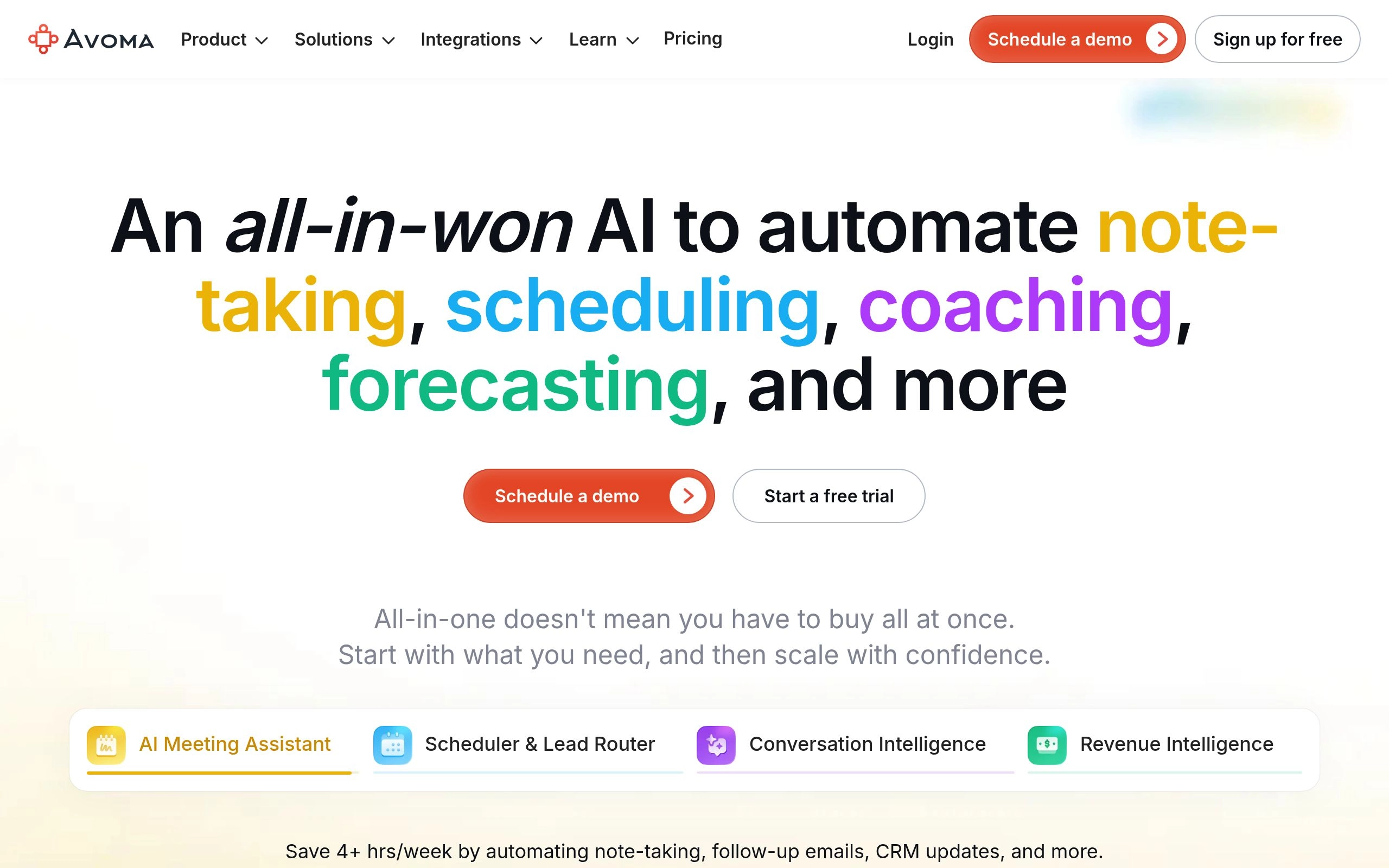
Avoma sits at the most sophisticated end of this list. It is not simply a meeting note-taker — it is a revenue intelligence platform that happens to include best-in-class transcription as its foundation. For sales-focused organizations that want to move beyond basic call recording into structured coaching, deal tracking, and methodology adherence, Avoma is in a different category than every other tool here.
The platform's sales coaching layer is its defining differentiator. Avoma automatically categorizes every conversation into structured topics — pain points explicitly stated, competitor mentions, pricing objections, technical requirements, and buying signals — allowing sales managers to review any call by jumping straight to the commercially critical moments without listening to the full recording. AI scorecards track how closely each rep adheres to your sales methodology, whether MEDDIC, SPICED, BANT, or a custom framework you define.
The CRM sync depth is a 10/10 because Avoma does not just push the transcript — it pushes structured data. Deal risk signals, talk pattern metrics, and buyer engagement scores update your CRM fields automatically, giving sales managers pipeline intelligence that would otherwise require manual call reviews. The trade-off is price: Avoma's Startup tier starts at $19/user/month with no free plan, scaling to $79/user/month for full revenue intelligence functionality. For teams that need everything, that investment pays back quickly. For teams that need basic CRM sync, Fireflies at $10/user/month delivers 80% of the CRM value at half the cost.
✅ Pros
- Only tool with AI sales methodology scorecards (MEDDIC, BANT, SPICED)
- Structured topic categorization: pain points, objections, competitor mentions
- Deepest CRM data sync of any tool on this list
- Talk pattern analytics for sales coaching and rep development
- Covers entire meeting lifecycle — scheduling through post-call analysis
❌ Cons
- No free plan — 14-day trial only
- Most expensive tool on this list at full feature tier ($79/user/mo)
- Revenue intelligence features are overkill for general-use teams
- Bot-based — visible in meeting participant list
💰 Pricing: No free plan. Startup — $19/user/month. Growth — $49/user/month. Enterprise — $79/user/month. Add-ons available for Conversation Intelligence (+$29/seat) and Revenue Intelligence (+$39/seat).
👤 Best for: B2B sales teams running formal deal methodologies, sales managers who need AI coaching data, and revenue organizations replacing multiple point solutions with one unified platform.
⭐ Our rating: 4.5/5
10. Fellow.ai — Best for Meeting Agendas and Full Lifecycle Accountability

Most platforms focus entirely on what happens during the meeting. Fellow.ai focuses on the entire meeting lifecycle — from structured preparation through to post-call accountability — and this broader scope is what makes it the most complete general-purpose meeting management tool on this list. It was also named the top AI note-taker by The New York Times Wirecutter in 2026, which reflects a breadth of capability that purely transcription-focused tools cannot match.
Fellow's pre-meeting workflow begins with collaborative agenda building. Team members co-author the agenda inside the platform before the call. During the meeting, the AI transcribes the conversation and aligns every discussion point to the agenda item it addresses. When the call ends, Fellow distributes the assigned action items directly to the responsible team members in your connected project management tools — Asana, Jira, Linear, or similar — without requiring anyone to manually copy tasks from a summary document.
Fellow's enterprise security posture is also notable. It holds SOC 2 Type II, GDPR, and HIPAA certifications at a price point that teams can actually access, and it explicitly states a policy of not training AI models on customer data — a combination that no other mainstream tool in this category fully matches. This security posture makes Fellow the correct choice for organizations in regulated industries where meeting content includes protected information. For teams that also manage projects with AI task management tools, Fellow's action item export creates a direct bridge between meeting discussions and active project work.
✅ Pros
- Named #1 AI note-taker by NYT Wirecutter in 2026
- Full meeting lifecycle: agendas → live notes → action items → accountability
- SOC 2 Type II, GDPR, and HIPAA certified — enterprise-grade security
- No AI training on customer data — explicitly stated policy
- Both bot-based and native bot-free recording modes available
❌ Cons
- Free plan limited to 5 AI recordings per month
- More complex setup than simpler tools like Fathom
- Broader feature set requires team adoption to deliver full value
💰 Pricing: Free plan — 5 AI recordings/month. Pro — $9/user/month (billed annually). Business — $14/user/month (billed annually). Enterprise — custom pricing.
👤 Best for: Engineering and product teams, regulated industries (healthcare, legal, finance), and any organization that needs the full meeting lifecycle — from structured pre-meeting agendas through to project management integration of post-meeting action items.
⭐ Our rating: 4.7/5
11. Krisp Note — Best for Noise Cancellation

Krisp originally built its name as the world's most effective audio noise cancellation tool for calls — the software that removes crying babies, coffee shop espresso machines, and open-plan office chatter from your microphone feed in real time. They have since evolved that core technology into a full transcription service, creating a product with a uniquely compelling technical advantage that no other note-taker on this list possesses.
The fundamental difference is that Krisp cleans the audio before it reaches the transcription engine. Every other tool in this category transcribes raw, unprocessed audio and relies on its AI to handle noise through software compensation. Krisp filters the audio at the hardware level first, then transcribes what is already clean. The result is that Krisp's transcription accuracy holds up under conditions that degrade every other tool — noisy home offices, open-plan workspaces, coffee shop calls, and airport lounges. Like Jamie, Krisp operates natively on your machine without sending a bot into the meeting, making it a bot-free solution that also happens to purify your audio.
✅ Pros
- Best transcription accuracy in noisy environments — unique technical advantage
- Bot-free — runs natively, no meeting participant added
- World-class noise cancellation improves your audio for all participants
- Works across any platform without calendar integration
- 7-day full trial with no credit card required
❌ Cons
- Smaller integration library than Fireflies or Otter
- No real-time live transcript during the meeting
- Post-meeting workflow depth less advanced than Fellow or Avoma
💰 Pricing: Free plan available (limited noise cancellation minutes). Pro — $16/user/month. Business — $25/user/month. Enterprise — custom pricing. 7-day full Pro trial with no credit card.
👤 Best for: Remote workers in noisy environments, field sales reps, home office workers with background noise challenges, and anyone whose call audio quality is consistently an issue.
⭐ Our rating: 4.3/5
12. Bluedot — Best for Notion Users

Tool fatigue is a real productivity problem in 2026. Teams do not want to log into yet another standalone dashboard just to read meeting summaries. For organizations that run their entire knowledge base and project operations out of Notion, Bluedot solves the note-taker problem with zero additional workflow friction — meeting notes simply appear in Notion, formatted correctly, connected to the right databases, ready to use immediately.
Bluedot captures audio through a Chrome extension rather than a bot, meaning there is no virtual participant in the meeting, no calendar integration required, and no consent prompt from the conferencing platform. It is completely invisible to other participants. When the meeting ends, Bluedot automatically formats the transcript and summary and pushes it directly into your chosen Notion workspace, database, or project page — with bidirectional sync that lets you reference past decisions directly from your project documentation.
The Chrome extension architecture also makes Bluedot genuinely lightweight. There is no desktop app to install, no daemon running in your menu bar, no background processes consuming system resources. For Notion-native teams that want the simplest possible path from meeting to documented, searchable knowledge, Bluedot is the cleanest solution on this list.
✅ Pros
- Best Notion integration of any meeting note-taker — bidirectional sync
- Bot-free via Chrome extension — invisible to all participants
- No desktop app or background process required
- Notes pushed to Notion instantly with zero formatting required
- Works across all major conferencing platforms via the browser
❌ Cons
- Chrome-only — no Firefox, Safari, or native desktop app
- Requires Chrome browser for all meeting recordings
- Limited value for teams that do not use Notion as their primary workspace
💰 Pricing: Free plan available (limited recordings). Basic — $18/user/month. Pro — $25/user/month. Enterprise — custom pricing.
👤 Best for: Teams and companies that use Notion as their primary knowledge management and project operations platform, and want meeting notes to flow directly into their existing Notion structure without any manual work.
⭐ Our rating: 4.3/5
13. Metaview — Best for Recruitment Interviews
Recruiting is a highly specialized meeting use case that general-purpose transcription tools handle poorly. When interviewing a senior engineer, the AI note-taker must accurately capture specific programming languages, technical frameworks, architectural decisions, and complex past project descriptions. Most tools built around sales calls or team meetings stumble over this specialized vocabulary and produce summaries that miss the technical nuance required to make a good hire.
Metaview is trained specifically on interview data. It understands the structure of technical and behavioral interviews, generating summaries that systematically surface a candidate's hard skills, soft skills, and cultural fit indicators — organized in a format that hiring managers can review quickly and compare across candidates without listening to full recordings. The AI has learned to distinguish between "what the interviewer asked" and "how the candidate answered," which is precisely the structure a hiring manager needs.
Metaview integrates directly with major Applicant Tracking Systems including Greenhouse, Lever, and Workday. The interview summary is automatically attached to the candidate's profile, allowing hiring managers and recruiter teams to access notes without ever leaving their primary ATS. For recruiting teams at VC-backed startups scaling headcount rapidly, and for enterprise HR departments with high interview volumes, Metaview's specialized focus delivers accuracy and utility that no general-purpose tool can replicate.
✅ Pros
- Trained specifically on interview data — technical vocabulary handled accurately
- Summaries structured around hard skills, soft skills, and cultural fit
- Native ATS integrations: Greenhouse, Lever, Workday, and more
- Distinguishes interviewer questions from candidate answers in summaries
- Reduces interviewer note-taking burden so they stay fully present
❌ Cons
- Custom enterprise pricing — no self-serve free plan
- Purpose-built for recruitment — limited value outside hiring workflows
- Requires sales conversation to access pricing and trial
💰 Pricing: Custom enterprise pricing only. Contact Metaview directly for a quote based on interview volume and team size. No public self-serve pricing available.
👤 Best for: In-house recruiting teams, talent acquisition departments at scaling startups, technical interview panels, and any HR organization with high interview volumes where note quality directly affects hiring decisions.
⭐ Our rating: 4.4/5
Key Differentiators to Consider When Choosing
Transcription accuracy has largely converged across all leading tools in 2026 — every platform on this list clears the 95% benchmark under normal conditions. This means accuracy is a floor, not a differentiator. The features that actually separate these tools in real-world use are how they handle audio capture architecture, how accurately they identify speakers in messy conversations, and — most critically — what they do with the transcript after the call ends.
Bot-Free vs. Bot-Based Note-Takers
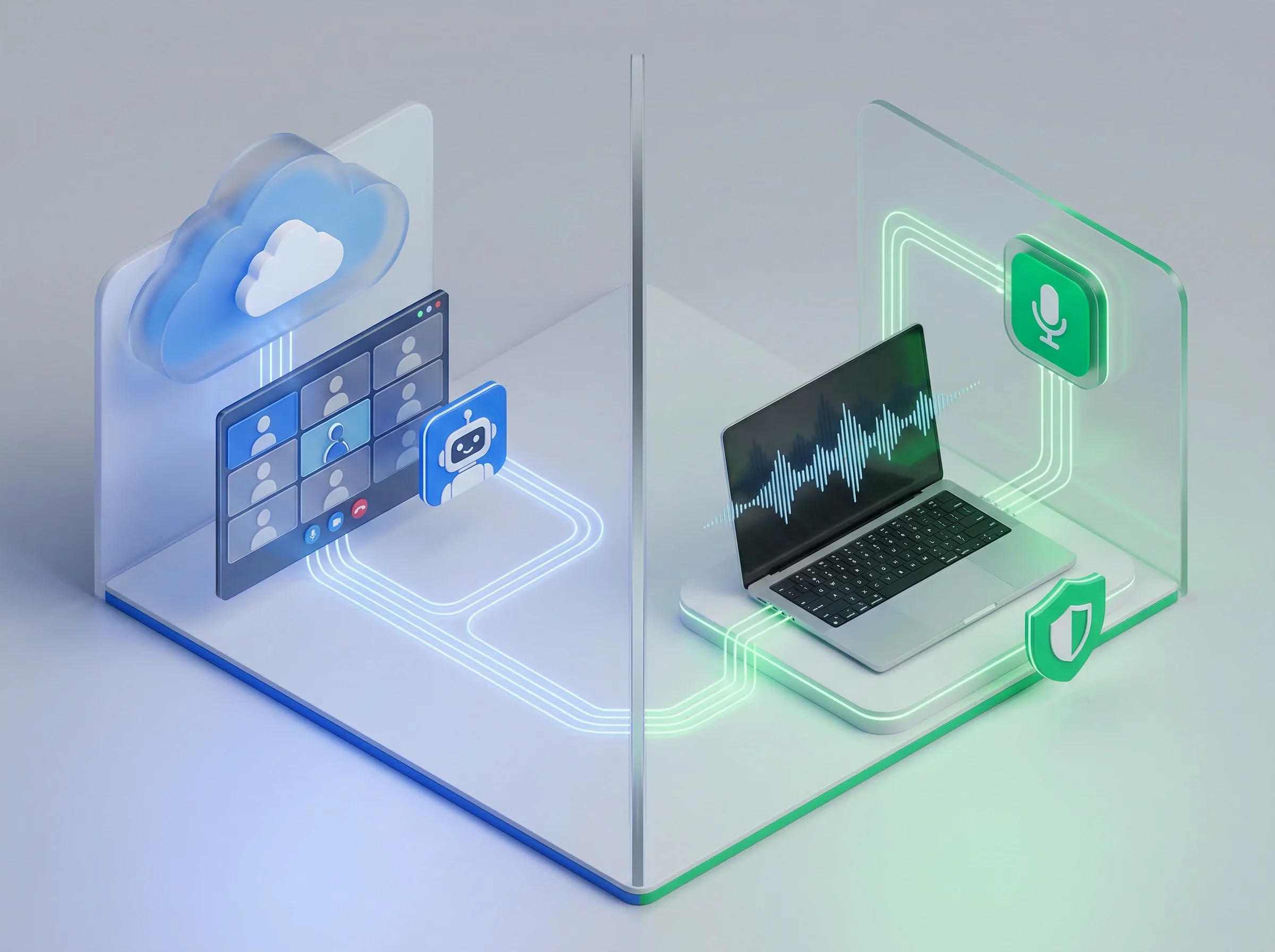
Bot-Free vs Bot-Based AI Meeting Note-Taker Architecture
This is the single most important technical decision in the AI note-taker category in 2026. Bot-based tools require a virtual participant to join your calendar events. The bot sits in the participant list, records the audio, and exits when the call ends. This approach is reliable and generally well-integrated, but the bot is visible to everyone — and as of March 2026, Google Meet now flags third-party bots as "potential risk" by default, adding an additional layer of friction for external client meetings on Google's platform.
Bot-free applications run natively on your computer and capture audio directly from your system's soundcard without joining the meeting as a participant. This approach is significantly more discreet, works across any conferencing platform without requiring calendar integrations or platform-specific approvals, and eliminates the social dynamics that a visible recording bot introduces. For client calls, investor meetings, legal discussions, HR conversations, and any situation where the candor of participants matters, native tools are the more appropriate architecture. Your use case — not the feature list — should determine which category you evaluate first.
Speaker Identification and Real-Time Capabilities
Accurate transcription is meaningless if the software attributes a critical business decision to the wrong person. The ability to correctly identify who is talking — especially when participants interrupt each other or when multiple people have similar voice patterns — is what separates premium tools from basic dictation software. Speaker identification accuracy has improved by approximately 40% in the latest generation of AI note-takers compared to tools from 2024, but meaningful variance still exists between tools when conversation gets complex.
When evaluating a tool, test it specifically in your messiest meeting scenarios: the standup where five people talk over each other, the client call with a heavy accent, the all-hands where someone joins with a poor microphone. Real-time speaker correction — the ability to relabel a speaker's attribution during the meeting before the final transcript is generated — is a feature worth paying for if your meetings regularly produce complex multi-speaker dialogue. Otter.ai leads the category on this specific capability.
Post-Meeting Workflow: Where Most Tools Still Fail
The single biggest gap across this category in 2026 is what happens after the meeting ends. A transcript sitting in a standalone app that nobody returns to delivers almost no value. An action item that requires manual copy-pasting into your project management tool will be ignored by 60% of your team within a week. The tools that deliver lasting productivity impact are the ones that close the loop automatically — pushing tasks to Asana or Jira, updating CRM records in Salesforce or HubSpot, distributing follow-up emails to stakeholders, and creating a searchable knowledge base from past conversations.
When making your final selection, evaluate not just the transcript quality but the post-meeting automation depth. For sales teams: does it update the CRM without a human review step (Fireflies, Avoma)? For product and engineering teams: does it push action items directly to your project board (Fellow.ai)? For executives juggling multiple workstreams: does it connect this meeting's context to your past conversations (Twinmind)? The answer to those questions is more important than any transcription accuracy benchmark in this guide.
Frequently Asked Questions About AI Meeting Note-Takers
What is the best AI meeting note-taker in 2026?
The best AI meeting note-taker depends on your specific use case. Fathom is the best overall option for most individuals due to its unlimited free plan and 5.0 G2 rating. Fireflies.ai is the best for sales teams needing CRM integration. Fellow.ai is the best for full meeting lifecycle management and enterprise security. Jamie is the best for bot-free recording in sensitive client meetings. For teams focused on the most important decision — the transcript itself — every tool on this list clears the 95% accuracy benchmark, so workflow integration and bot architecture should guide your final choice.
What is the difference between a bot-based and a bot-free AI note-taker?
A bot-based tool sends a virtual participant into your video meeting — it shows up in the participant list, records the audio, and leaves when the call ends. A bot-free tool runs natively on your device, capturing system audio without joining the meeting at all. Bot-free tools are invisible to other participants and work across any conferencing platform. As of March 2026, Google Meet flags third-party bots as "potential risk" by default, making bot-free tools like Jamie, Krisp Note, Bluedot, and Twinmind significantly more valuable for external-facing Google Meet users.
Is there a free AI meeting note-taker?
Yes — several tools offer genuinely functional free plans. Fathom provides unlimited free recordings and AI summaries with no credit card required, making it the most generous free AI meeting note-taker available. Fireflies.ai offers unlimited transcriptions on its free tier. Otter.ai's free plan includes 300 minutes per month. Fellow.ai provides 5 AI recordings per month on its free plan. Zoom AI Companion is included at no extra cost for any paid Zoom subscriber.
Which AI note-taker works with Google Meet, Zoom, and Microsoft Teams?
Otter.ai, Fireflies.ai, Fathom, Fellow.ai, Notta, Avoma, and Bluedot all support Google Meet, Zoom, and Microsoft Teams. Bot-free tools like Jamie, Krisp Note, and Twinmind work across all three platforms (and any other conferencing tool) because they capture system audio natively rather than integrating with specific platform APIs. Zoom AI Companion works only within Zoom.
What AI meeting note-taker integrates best with Salesforce and HubSpot?
Fireflies.ai and Avoma deliver the deepest Salesforce and HubSpot integrations of any tool on this list. Fireflies automatically logs transcripts, summaries, and action items to the correct CRM contact record with no manual steps. Avoma goes further, pushing structured data — pain points, objections, talk ratios, and deal risk signals — directly into CRM fields. For teams where CRM data quality is a business-critical requirement, both are significantly ahead of Otter.ai or Fellow.ai in this specific capability.
What is the best AI note-taker for recruiting interviews?
Metaview is the best AI meeting note-taker specifically for recruitment interviews. It is trained on interview data, understands technical vocabulary accurately, structures summaries around hard skills, soft skills, and cultural fit, and integrates natively with ATS platforms including Greenhouse, Lever, and Workday. General-purpose tools like Otter or Fireflies can transcribe interviews accurately, but their summaries are not structured around the hiring-specific information that recruiters and hiring managers need.
How much does an AI meeting note-taker cost in 2026?
AI meeting note-takers range from completely free (Fathom, Fireflies free tier, Otter.ai free tier) to enterprise-custom pricing. Most paid individual plans cost between $8 and $25 per user per month billed annually. Notta is the most affordable paid option at $8.17/user/month. Fellow.ai starts at $9/user/month. Fireflies Pro costs $10/user/month. Jamie starts at $24/user/month for its paid tier. Avoma is the most expensive at $19–$79/user/month depending on the feature tier, reflecting its revenue intelligence platform scope rather than just note-taking.
Frequently Asked Questions
Which AI meeting tool creates the best automated executive summaries?
Otter.ai and Fathom create the cleanest executive summaries with speaker attribution and 1-click export to Notion, Slack, and HubSpot.
Related Tags

AUTHORED BY
Hamza Khaliq
Student, Author, Learner, Developer and Researcher
Passionate about AI technology and its applications. dedicated to bringing you the latest insights and trends from the world of artificial intelligence.
You might also like
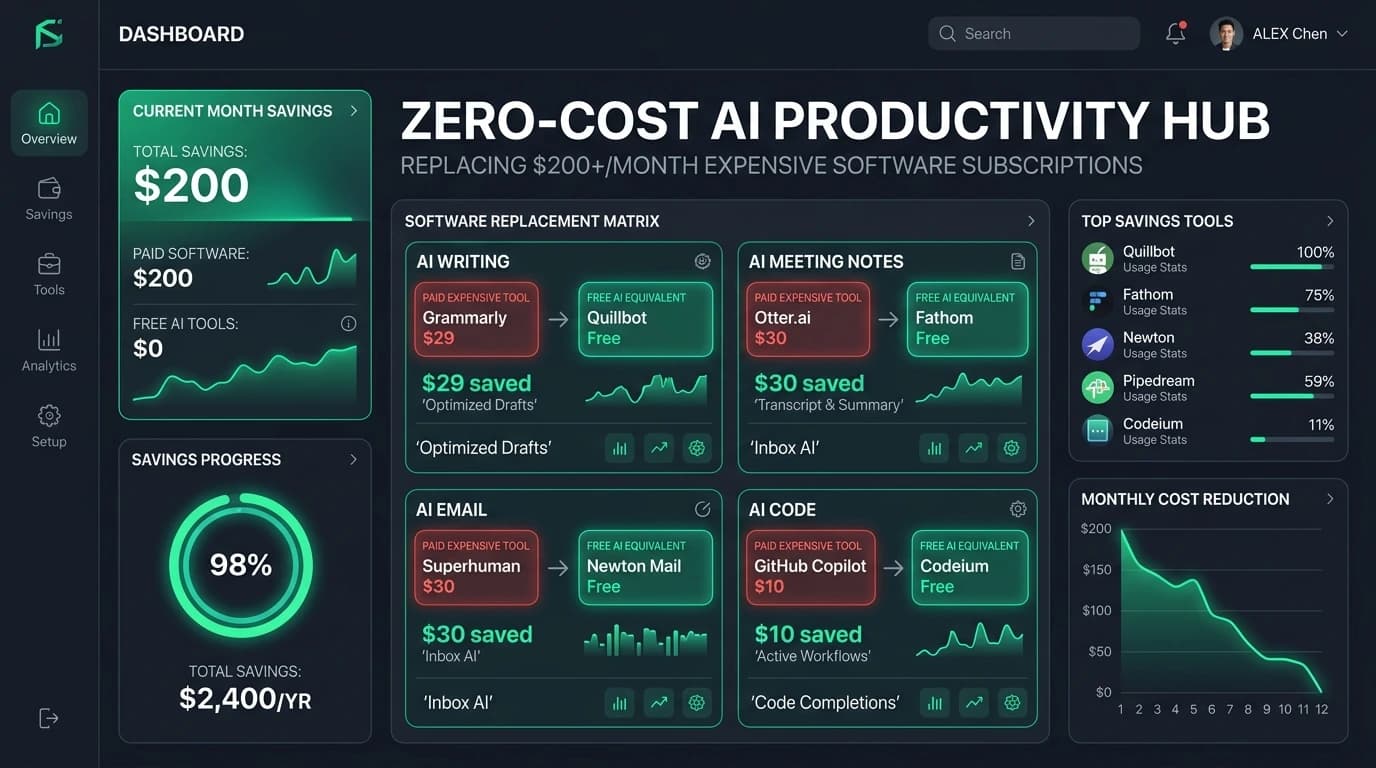
Free AI Productivity Tools That Replace $200+/Month of Software
Stop bleeding cash on SaaS subscriptions. Discover the battle-tested free AI productivity stack in 2026 that replaces $200+/month of paid tools without sacrificing speed or output.

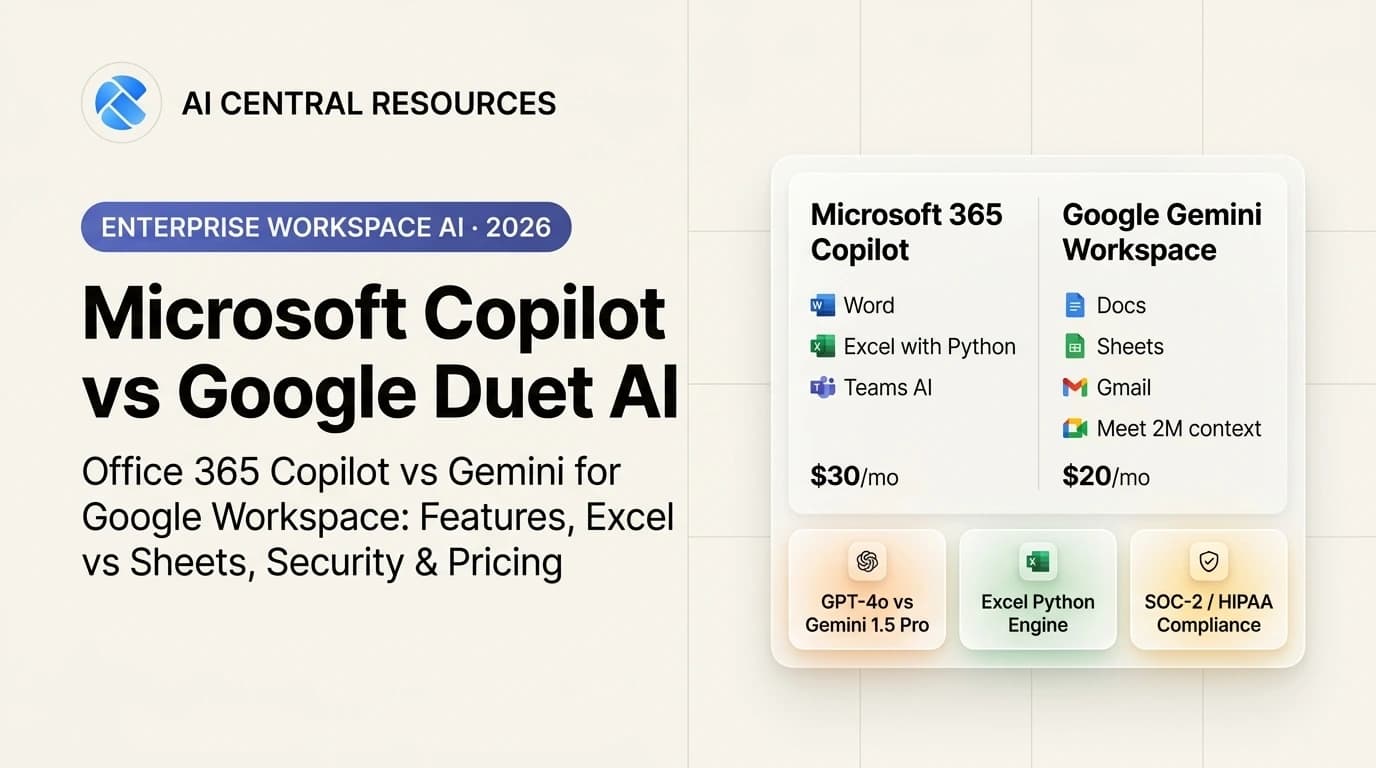
Microsoft Copilot vs Google Duet AI: Which Workspace AI Wins in 2026?
Microsoft 365 Copilot vs Google Duet AI (Gemini Workspace). Discover which enterprise AI suite delivers better document drafting, Excel analytics, and meeting intelligence in 2026.
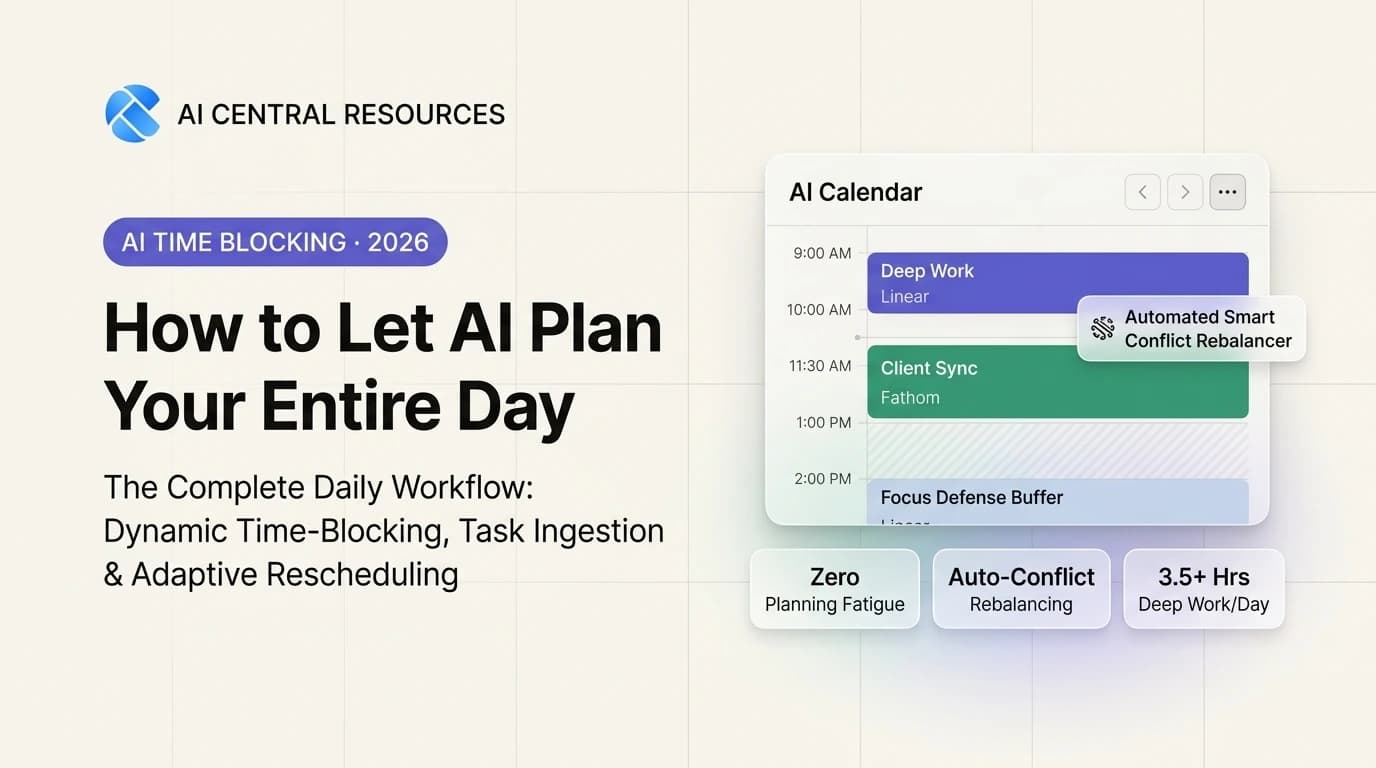
How to Let AI Plan Your Entire Day (The Ultimate Daily Workflow)
Eliminate planning fatigue. Learn how to let AI auto-schedule your to-do list, defend 3.5+ hours of daily deep work, and adaptively rebalance your calendar.
How to Build a Second Brain with AI Tools in 2026 (Full System)
Build a self-organizing Second Brain in 2026 using AI tools. Learn the CODE 2.0 system combining Readwise, Notion AI, Obsidian, and NotebookLM for effortless recall.